

All guides
Running the end of day report
Count the drawer, run close of day and print the report, step by step.
7 steps · 4 min read · Updated 20 October 2026
The end of day closes the sales day on the till. You count the cash in the drawer, compare it with what the system expects, and run close of day. The result is a daily report with sales, tax, payment types and the drawer balance, which you can print and look up again at any time.
It is run once per day for each branch, usually after closing.
Before you start
- Finish every open order and table. Unpaid orders are not closed automatically and the POS warns about them ("unpaid orders"). Left open, they make the report inaccurate.
- Make sure a printer is connected if you want a printed report. The settlement is saved even without a printer.
- Run it after closing time. If the store is still within its opening hours, a red warning is shown.
- 1
Open Settlement
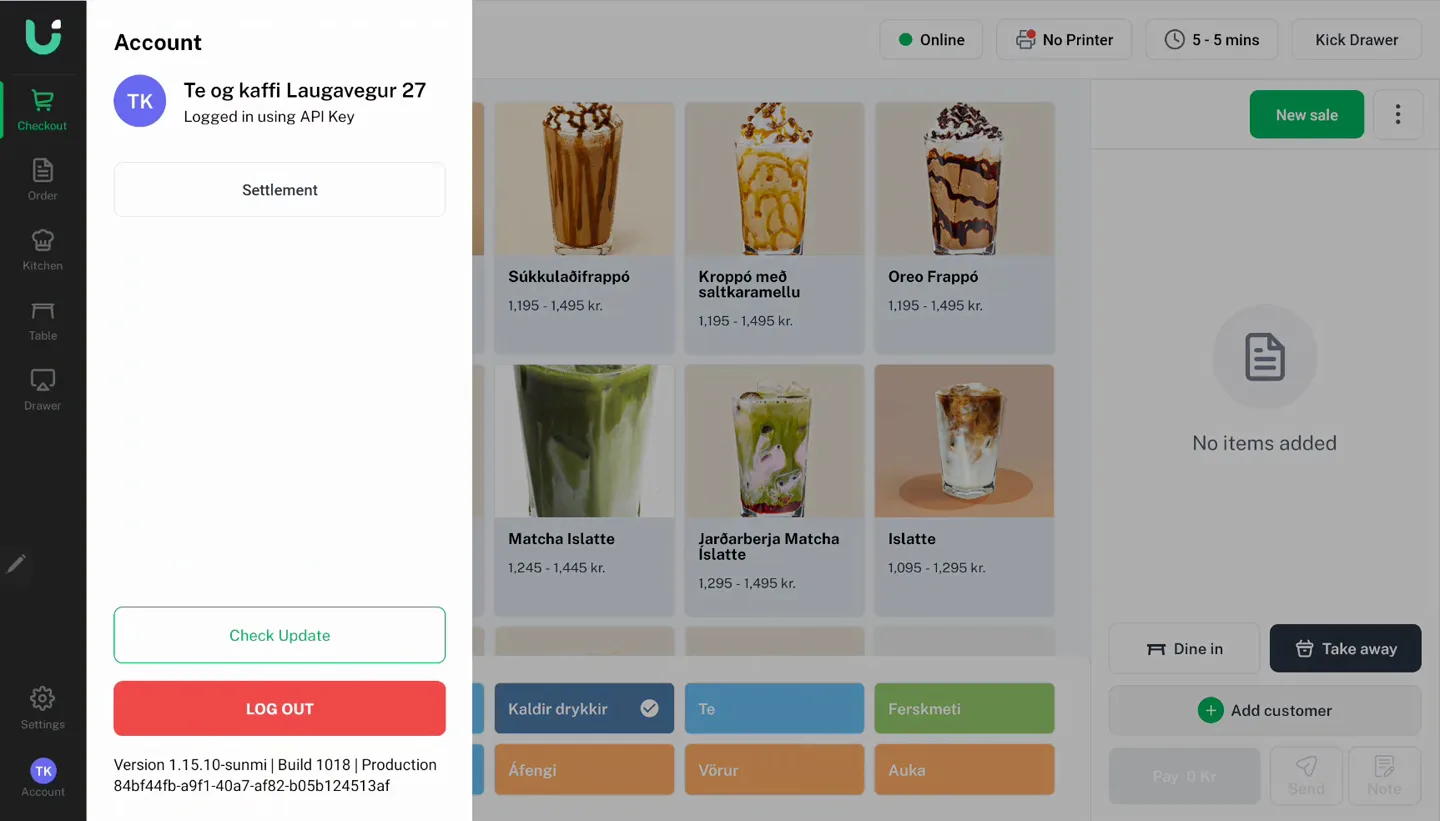
Tap your initials at the bottom of the left-hand menu to open Account.
Tap Settlement. The settlement window opens on the End day tab.
No Settlement button? End of day is not switched on for your store yet. Contact us and we’ll enable it.
- 2
Review the day’s sales
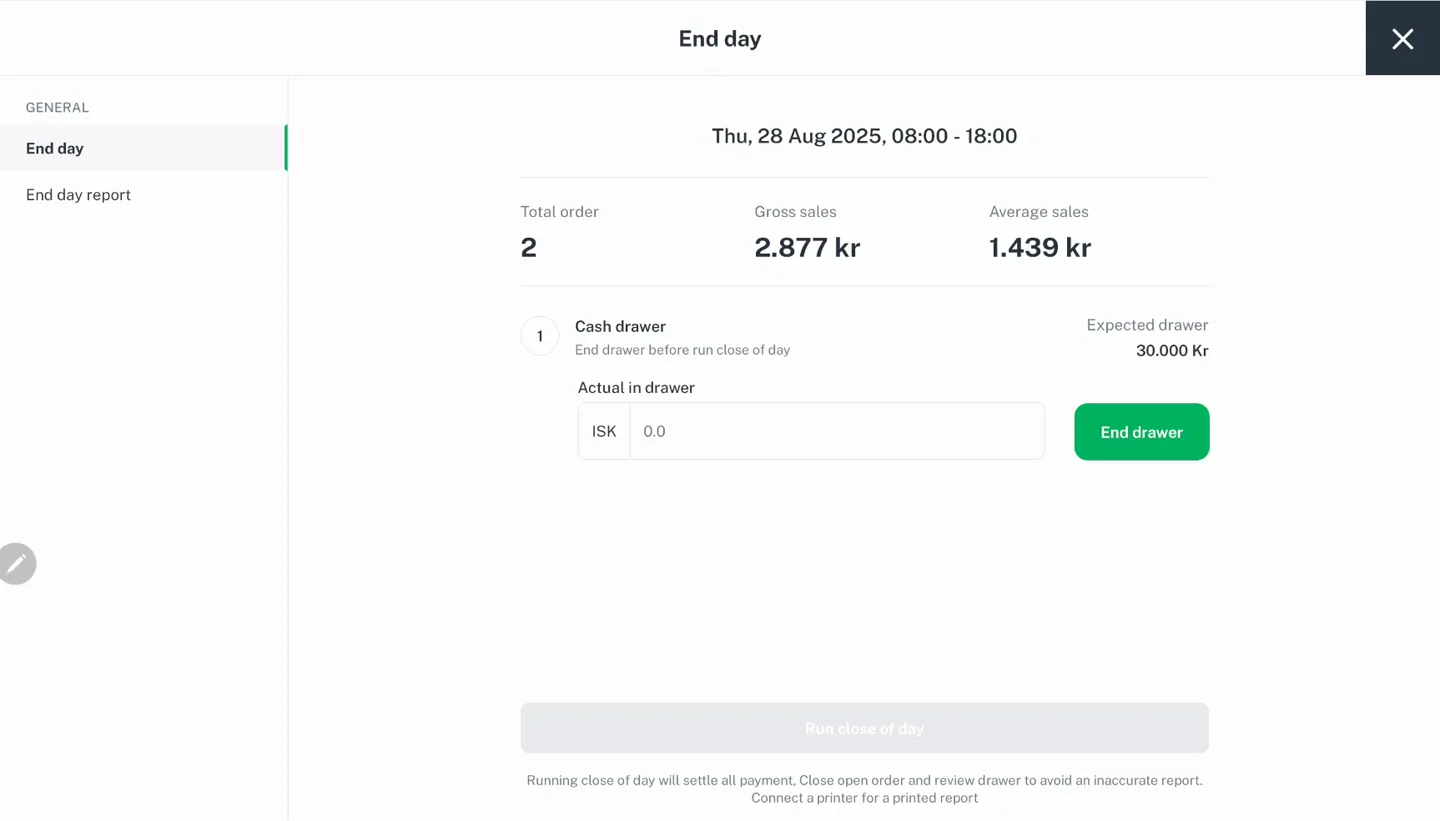
At the top you see the sales day and opening hours, e.g. "Thu, 28 Aug 2025, 08:00 - 18:00". For stores that close after midnight, late sales count towards the day that started the evening before.
Below are Total order (number of orders), Gross sales and Average sales (average order value).
If there is a yellow unpaid-orders warning, close those orders before you carry on.
- 3
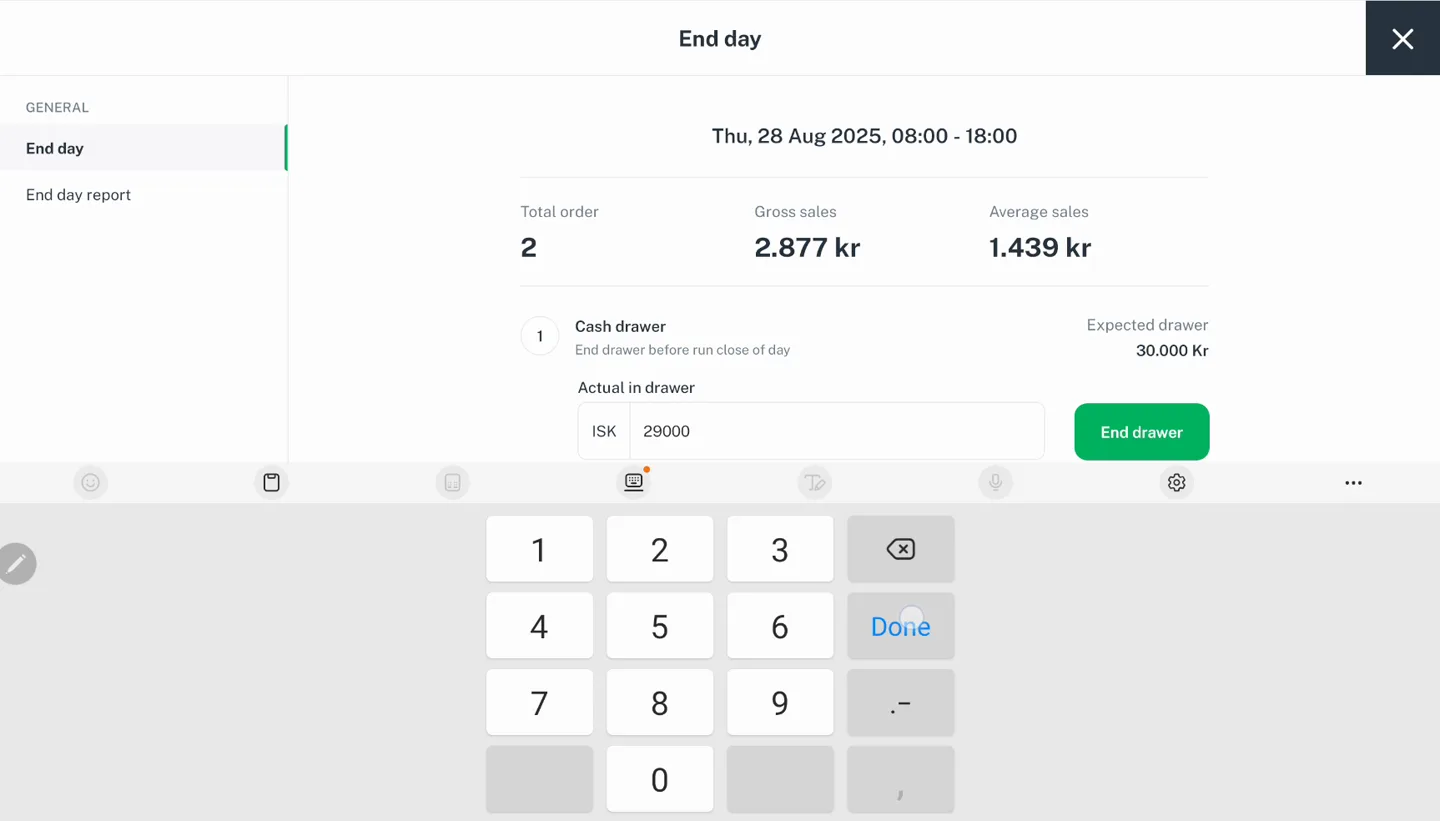
Count the drawer and enter the amount
Count all the cash in the drawer, including the float the day started with.
Type the total into the field and tap Done on the keypad. You enter one total, not each note and coin separately.
The POS shows Expected drawer (what should be in the drawer) and the Difference as you type. A green "+" means there is more cash than expected, a red "−" means some is missing.
Expected drawer = starting float + cash sales − cash refunds ± any cash added to or removed from the drawer during the day.
- 4
End the drawer
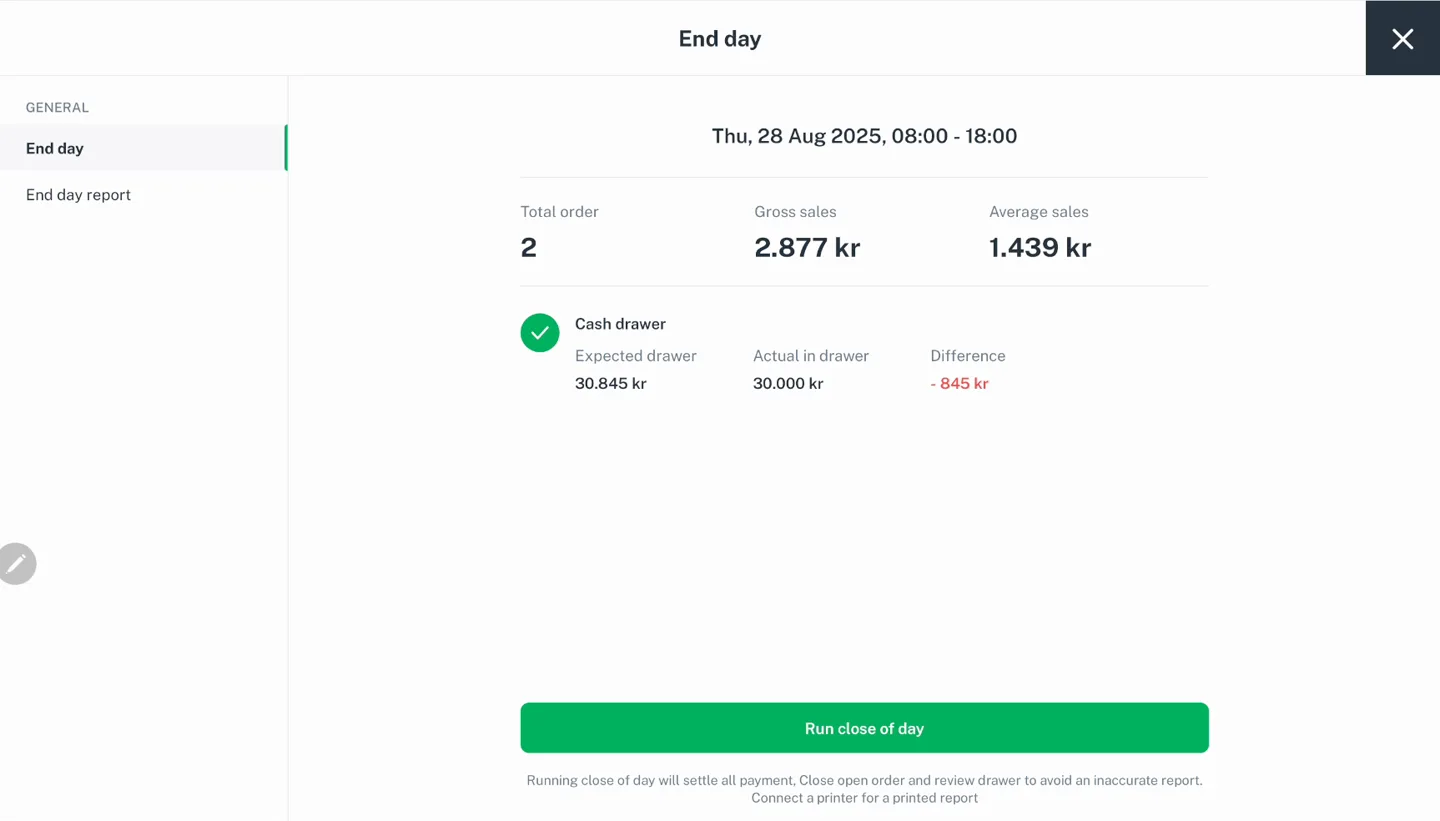
Tap End drawer. The count is saved and the drawer gets a green tick with Expected drawer, Actual in drawer and Difference.
A difference does not block the end of day. It is recorded and shown on the report. If it is large, count again before you tap.
Run close of day only becomes available once the drawer has been ended.
- 5
Run close of day
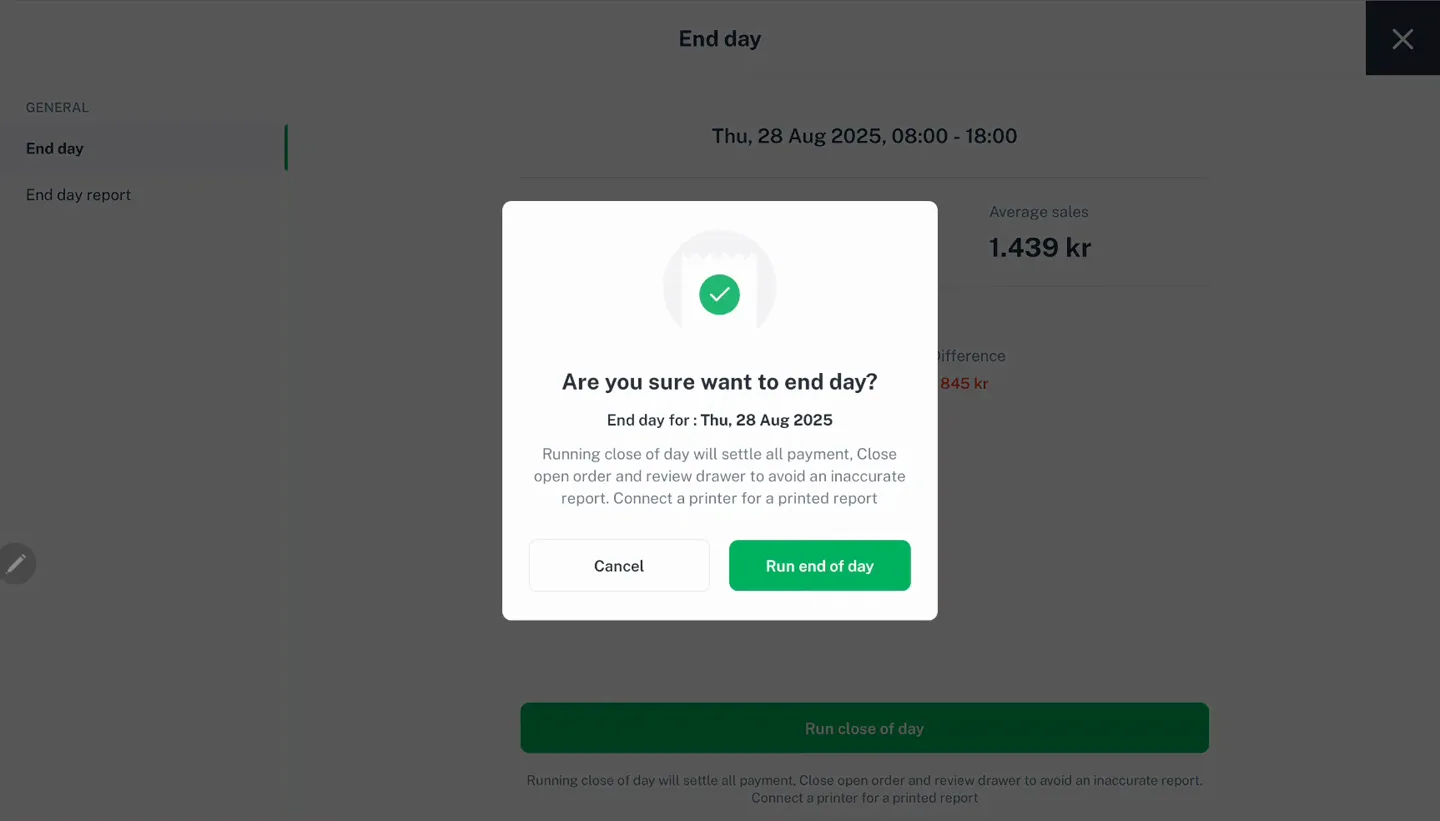
Tap Run close of day. A confirmation asks whether you want to end the day and shows the date.
Tap Run end of day to confirm, or Cancel to go back.
A ring fills over a few seconds while the settlement runs. Don’t close the window meanwhile.
- 6
Print the report
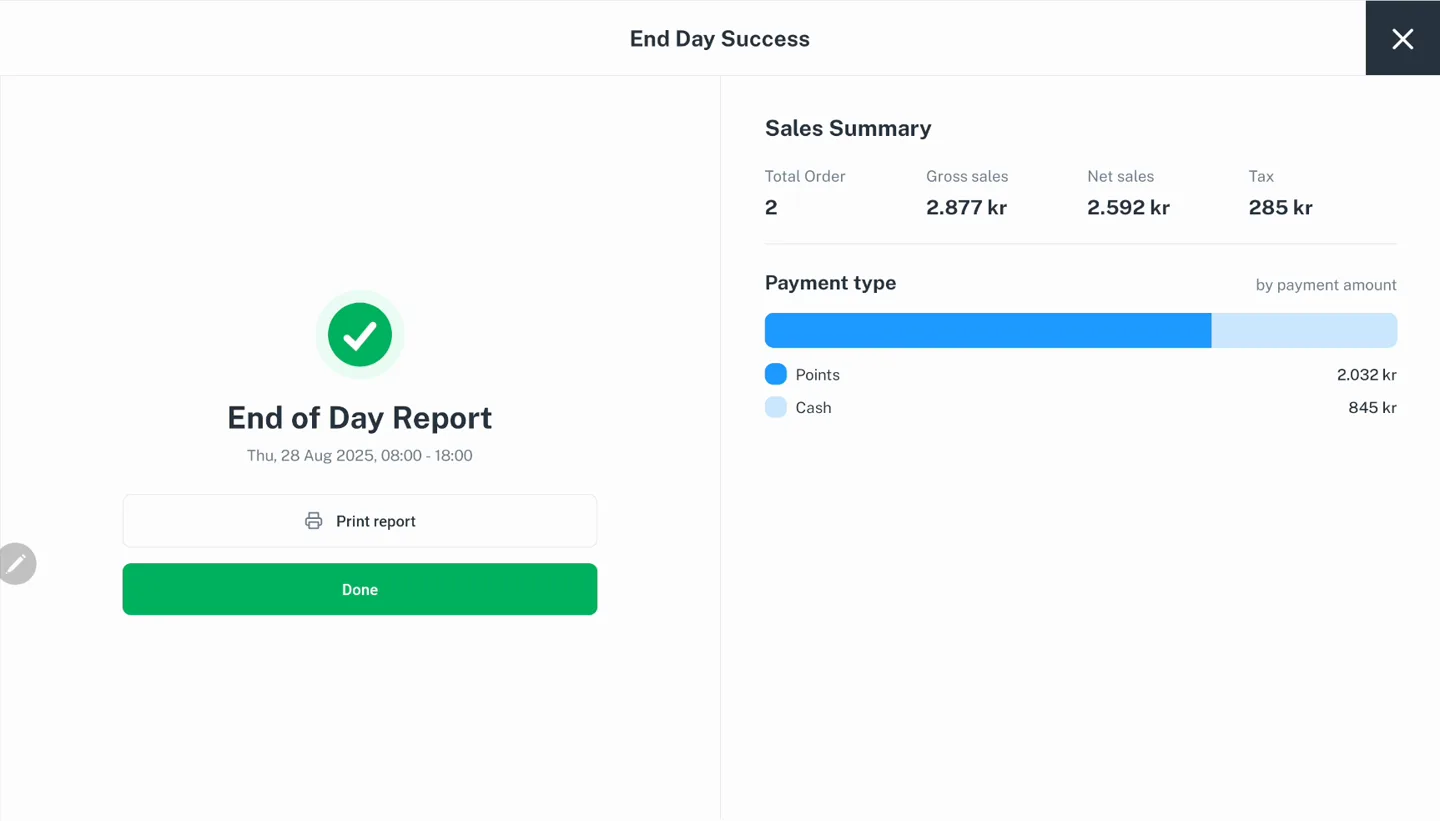
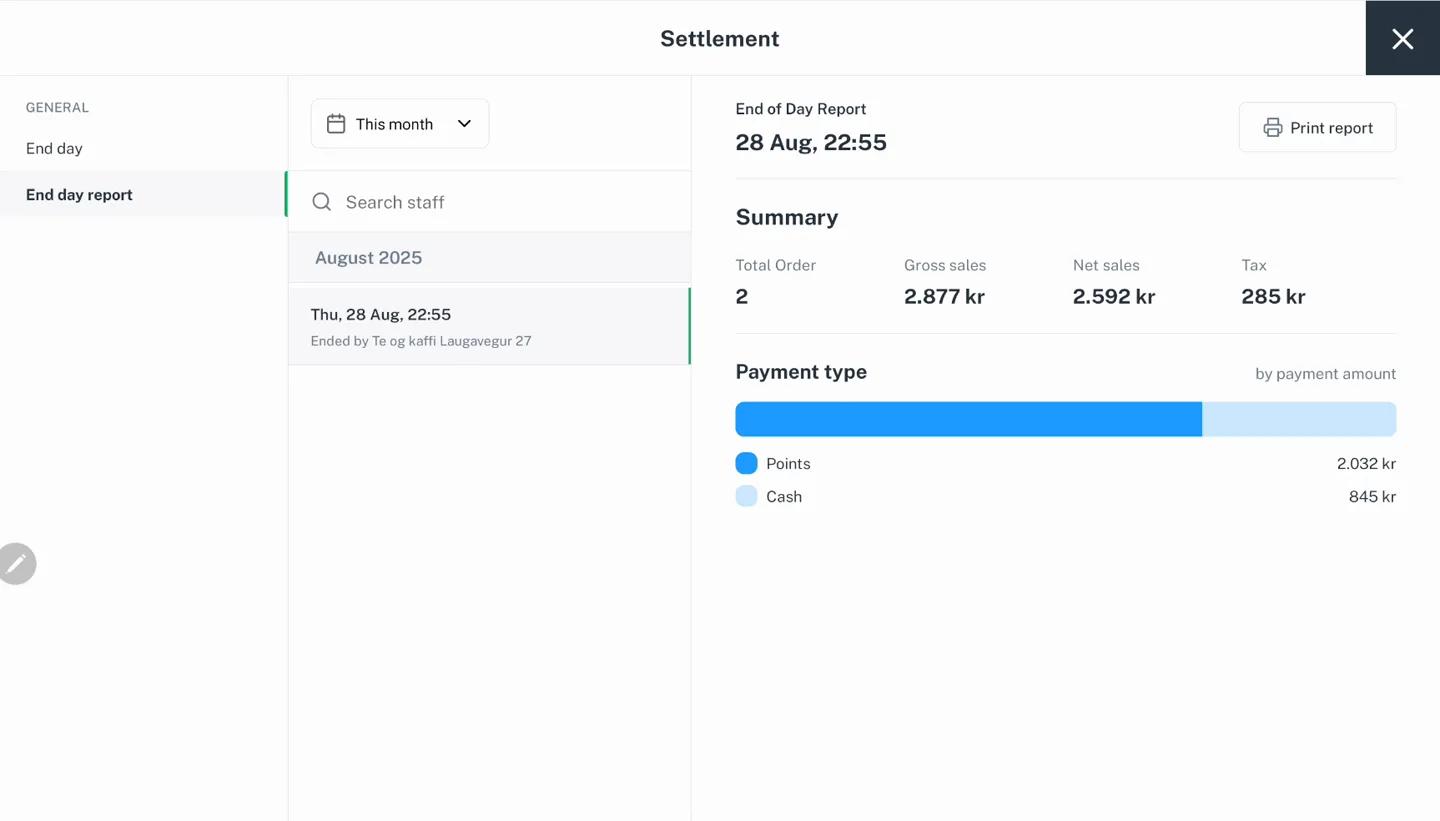
The End Day Success screen shows the Sales Summary (orders, gross sales, net sales, tax) and Payment type, which breaks down what came in by payment method.
Tap Print report to print. Some stores have the report print automatically. The printed report has more detail than the screen: refunds, discounts, sales by category and the full drawer balance.
Tap Done to close. The settlement is already saved.
- 7
Look up past reports
Open End day report on the left of the settlement window. It lists days as Closed (settled), Open (not settled) or Today, along with who ended each day.
Pick a period with the date button (This month, Last week, a single day and so on) or search by staff name in Search staff.
Select a day to see its report and tap Print report to print it again.
Forgot to run it? Select the day marked Open and go through the same steps. The settlement is recorded against that day.
Common questions
I made a mistake in the count. Can I fix the settlement?
Yes. Open End day report, select the day and tap Reopen Day. This deletes that day’s settlement so you can run it again with the right count. The old report is removed, so print the new one when you’re done.
Does close of day close open orders?
No. Orders are not changed by close of day. Finish or cancel open orders and tables before you run it, otherwise they are missing from the report or make it wrong.
What happens if cash is missing from the drawer?
Nothing is blocked. The difference is saved with the settlement and printed on the report so it can be followed up.
The report didn’t print. What do I do?
The settlement is still saved. Check the printer is on and on the same network as the till, then open End day report, select the day and tap Print report.
Can I run end of day twice on the same day?
No, each day is settled once per branch. Opening End day again shows that day’s report. To change it, use Reopen Day.
Where do I set the starting float?
The drawer opens automatically each morning with the starting float configured for the branch. Contact us if you want to change the amount.
Didn’t find the answer?
We’re here. Give us a call or send a message.
Direct line
+354 519 2887
Call us when it’s urgent.
Live chat
Coming soon
Call or email us in the meantime.
hello@upsell.is
We reply the same day.