

All guides
Creating a coupon code
A code customers type in at checkout, with a minimum spend and a per-customer limit.
6 steps · 3 min read · Updated 20 October 2026
A coupon only applies when the customer types the code in, unlike a discount, which applies by itself. Codes suit marketing: newsletters, social media, or a card in the bag.
- 1
Code and description
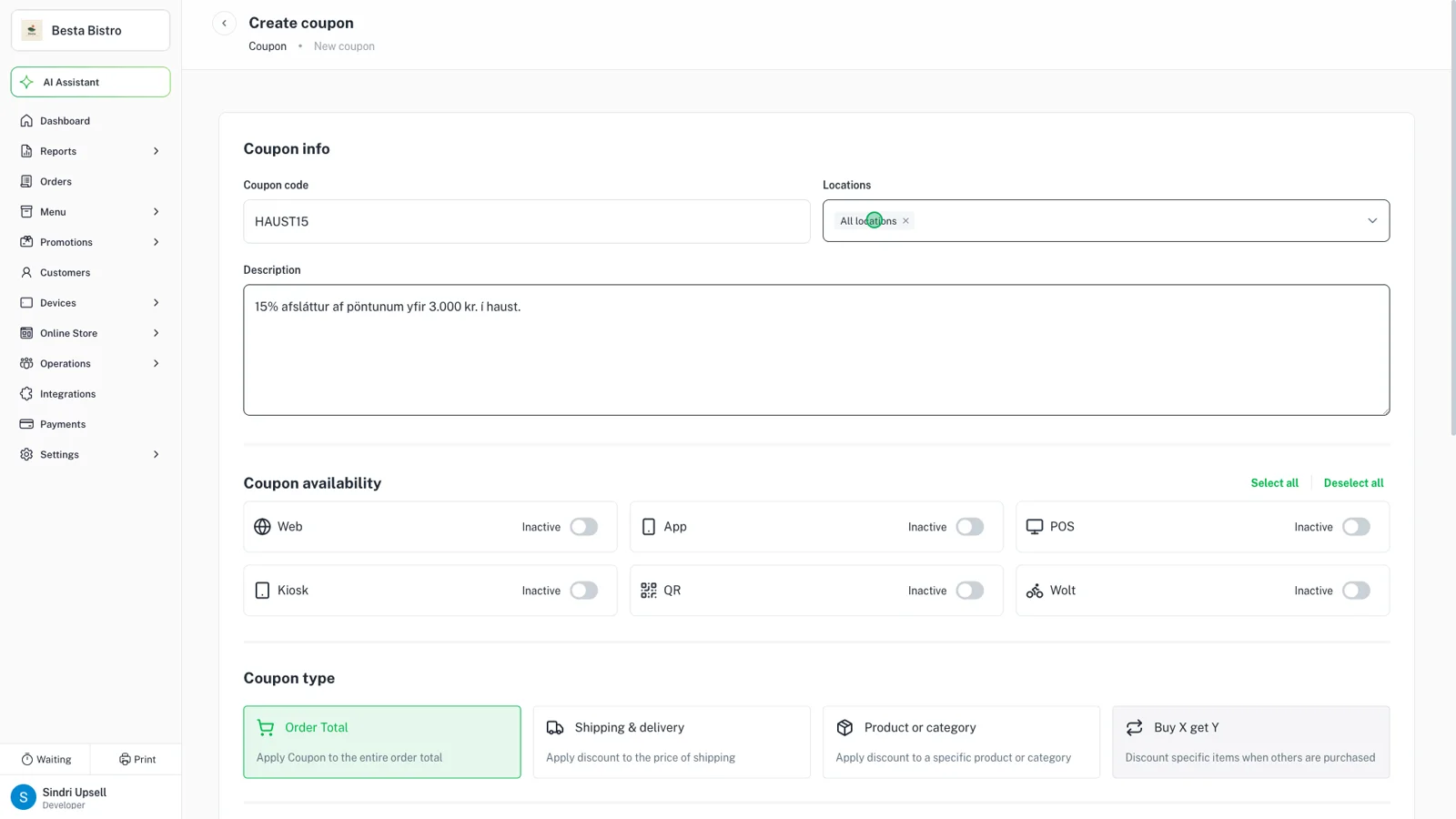
In the menu, open Promotions and then Coupons, and click New coupon.
Type the code under Coupon code, e.g. HAUST15, and a short description. Every branch is selected to begin with under Locations.
- 2
Where the code works
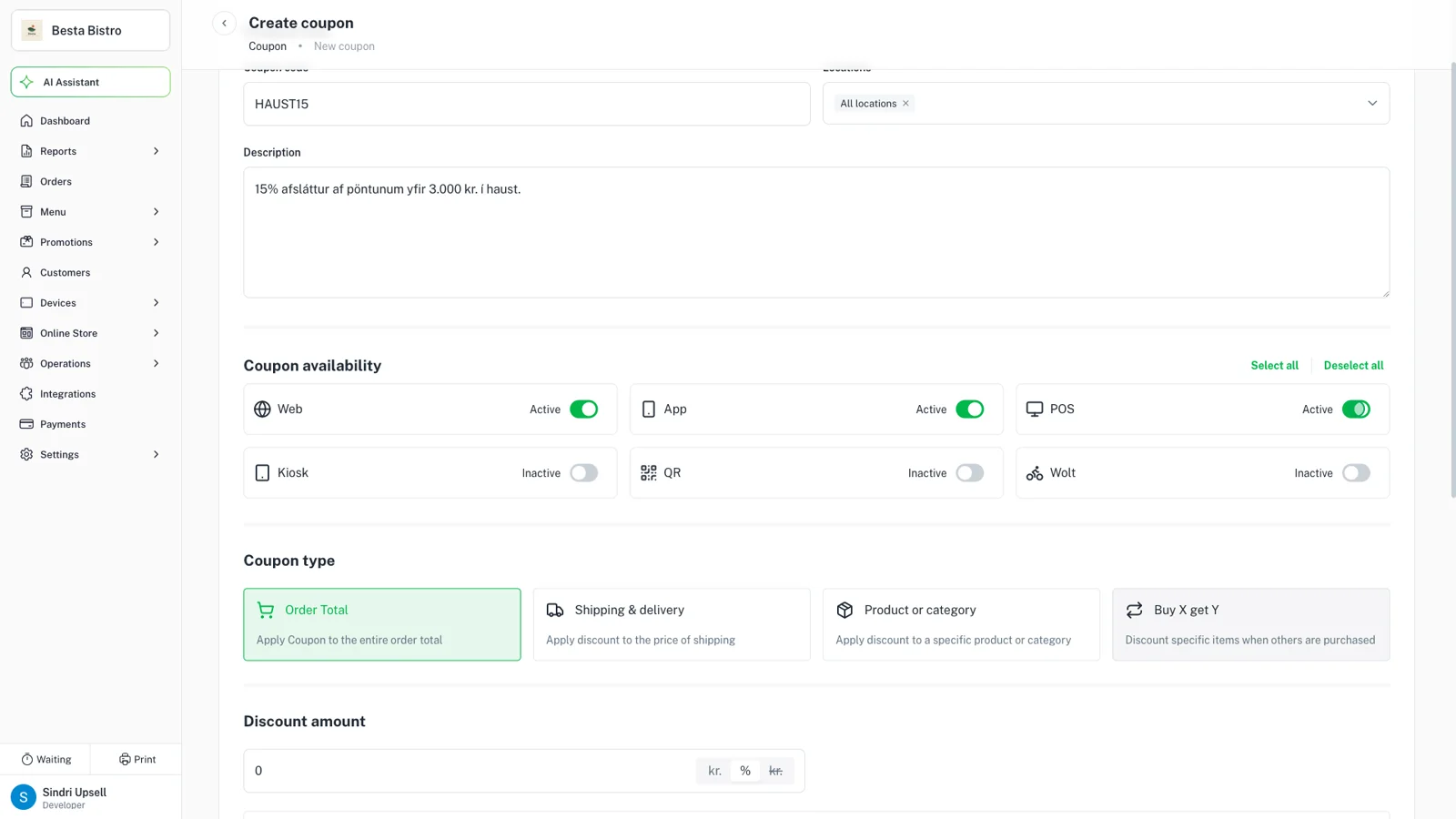
Under Coupon availability, switch on where the code works, e.g. Web, App and POS. They all start off.
- 3
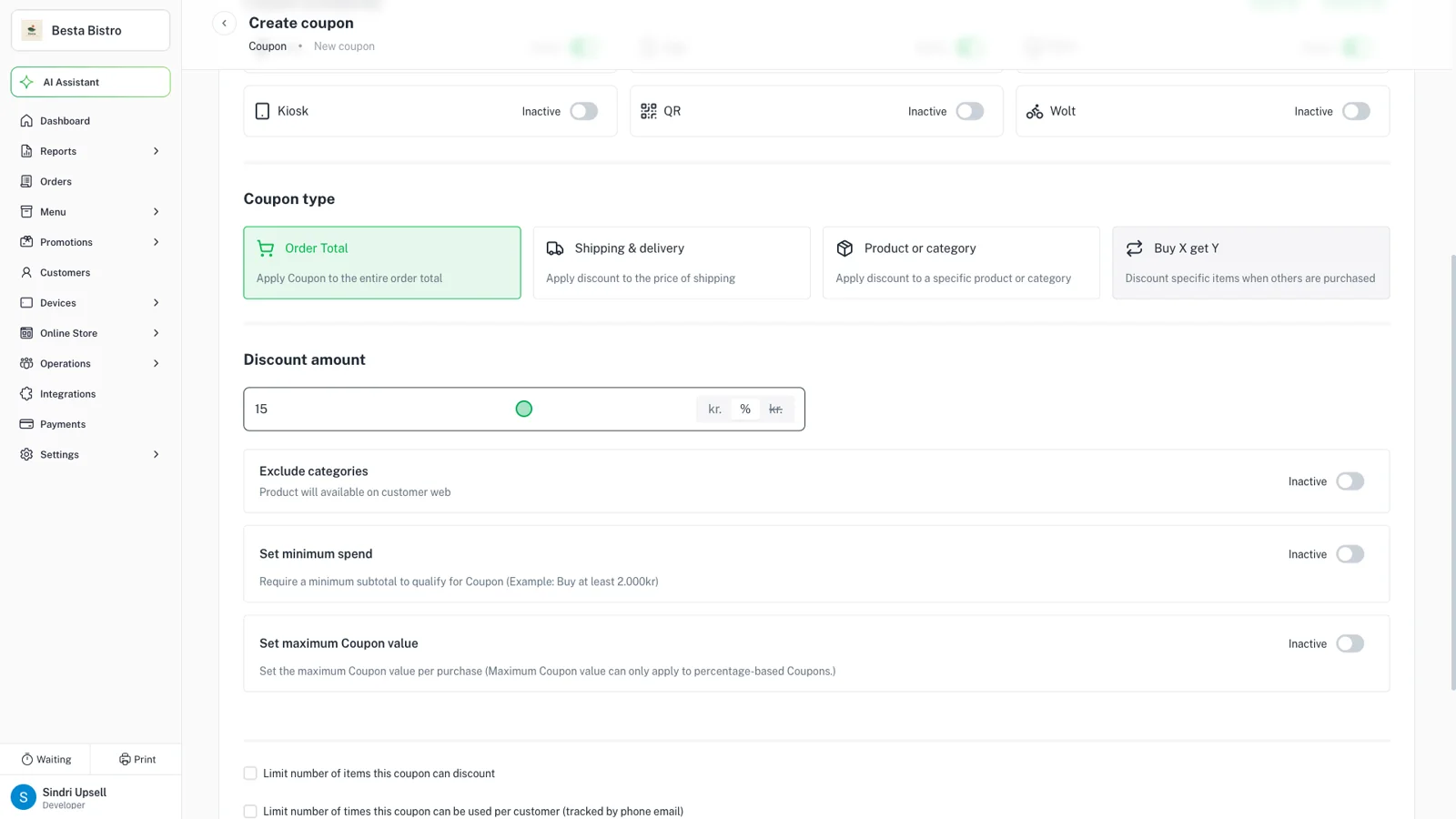
Type and amount
Order Total (selected to begin with) takes it off the whole order. Product or category only discounts chosen items, and Shipping & delivery the delivery fee.
Enter the amount under Discount amount and pick % or kr.
- 4
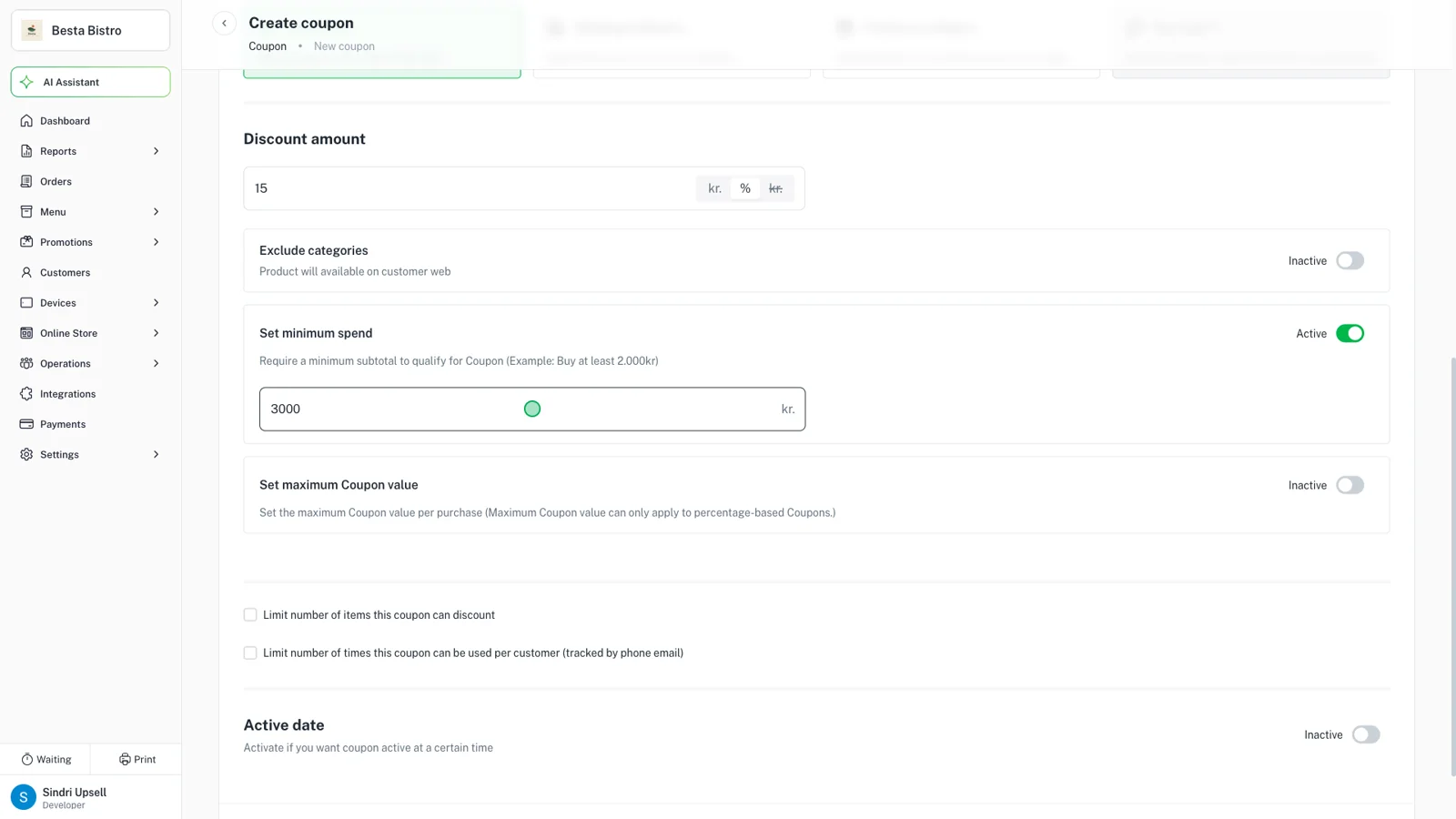
Minimum spend
Switch on Set minimum spend and enter the minimum order, e.g. 3,000 kr.
- 5
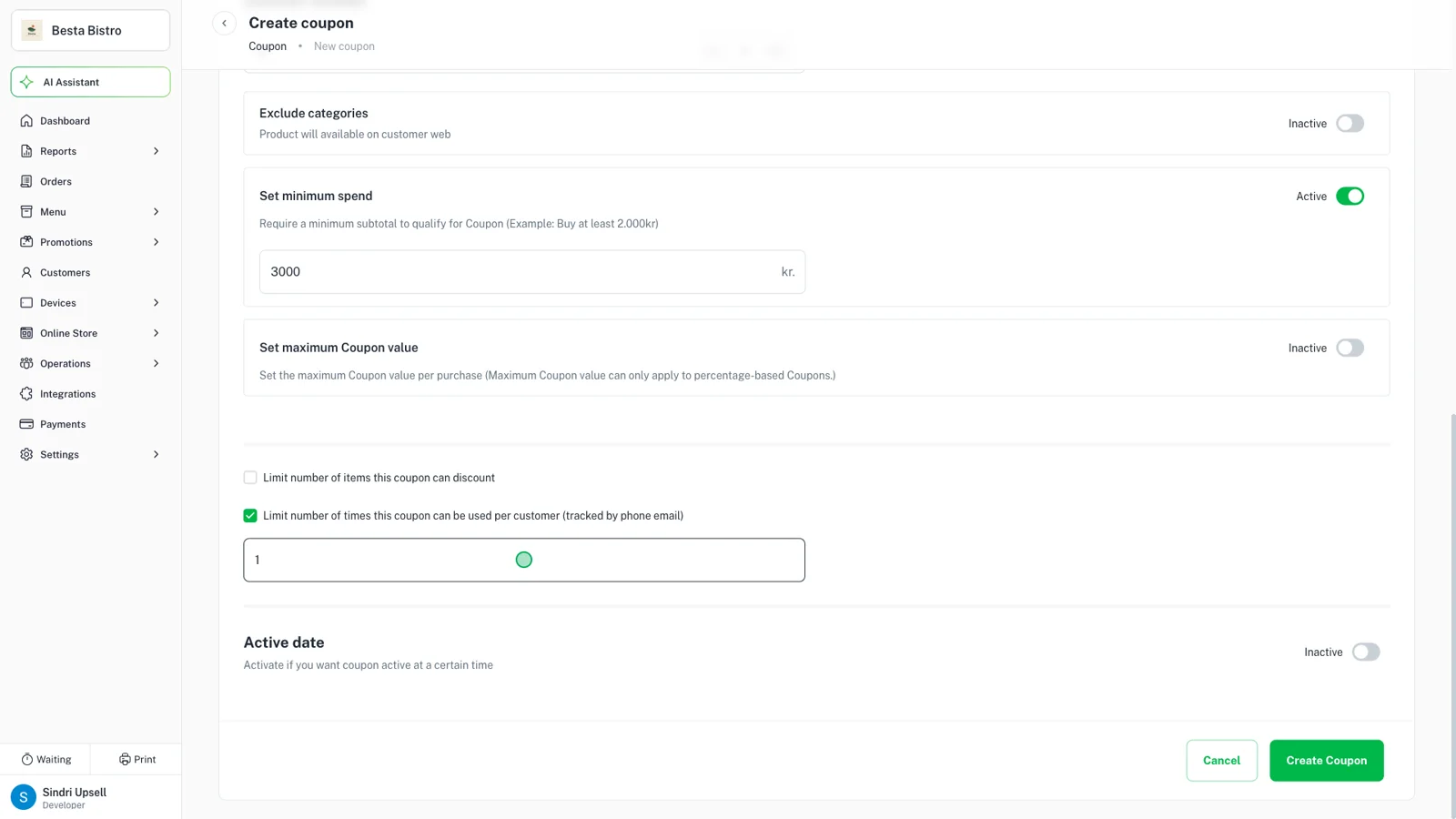
Limit how often it’s used
Tick "Limit number of times this coupon can be used per customer" and enter e.g. 1, so each customer can use it once.
Under Active date you can make the code valid for a set period only.
- 6
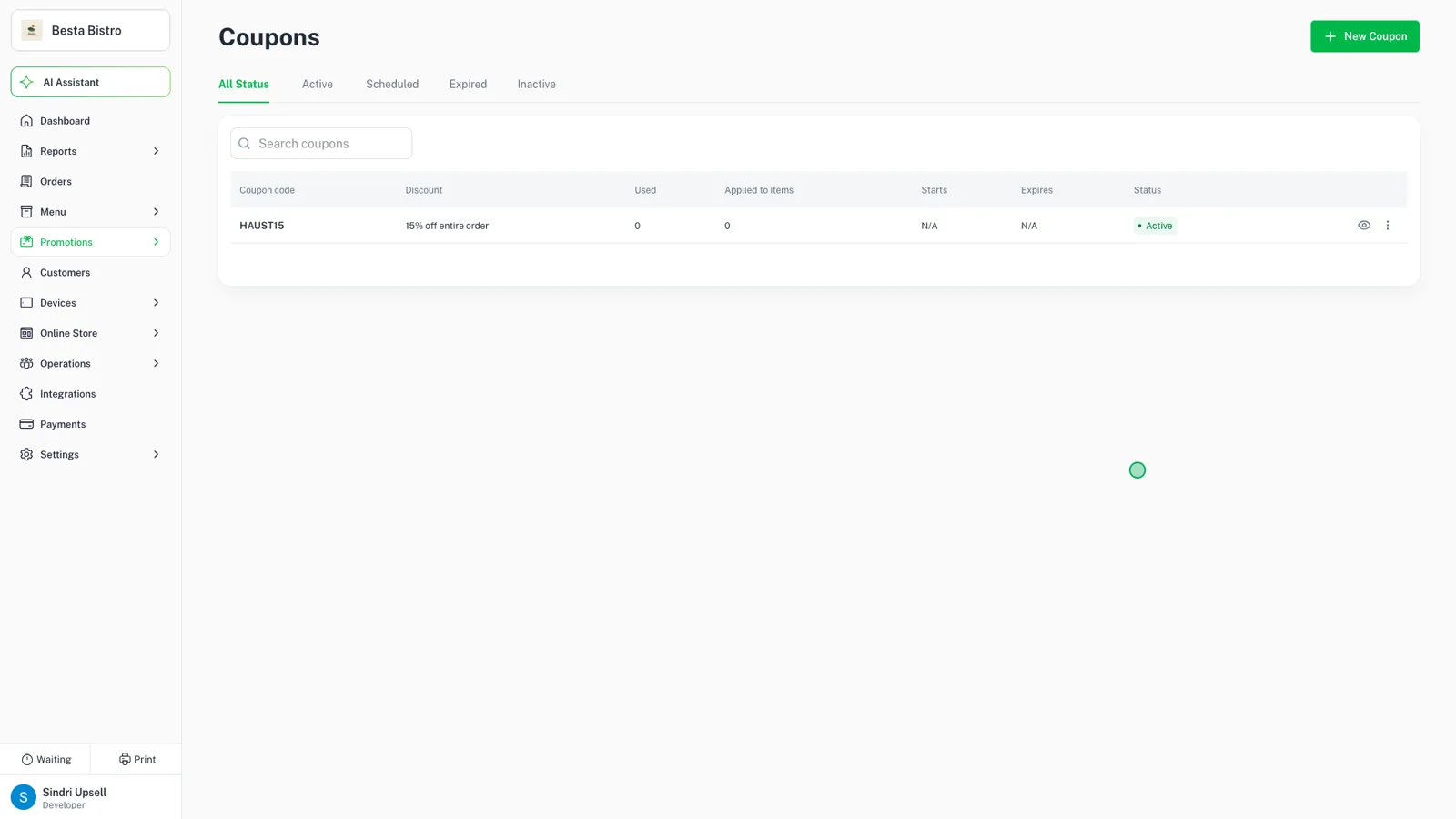
Save
Click Create Coupon. The code appears in the list and works straight away.
Customers type it at checkout online. At the till, enter it under Add discount → Coupon code.
Common questions
What’s the difference between a discount and a coupon?
A discount (Discounts) applies automatically to matching orders. A coupon (Coupons) only applies when the code is entered.
How do I see how often a code has been used?
The Used column in the list shows it, and Reports → Coupons shows the sales the codes brought in.
Didn’t find the answer?
We’re here. Give us a call or send a message.
Direct line
+354 519 2887
Call us when it’s urgent.
Live chat
Coming soon
Call or email us in the meantime.
hello@upsell.is
We reply the same day.