

All guides
Putting an order on an invoice
Charge an order to a company account, record who ordered, and print a receipt with the company ID.
4 steps · 3 min read · Updated 20 October 2026
Companies on account don’t pay at the till. The order is recorded against the company and shows in its order history in the dashboard, where it is billed from.
Before you start
- The company has to exist in the dashboard (see "Creating a company account"). Companies can’t be created at the till.
- 1
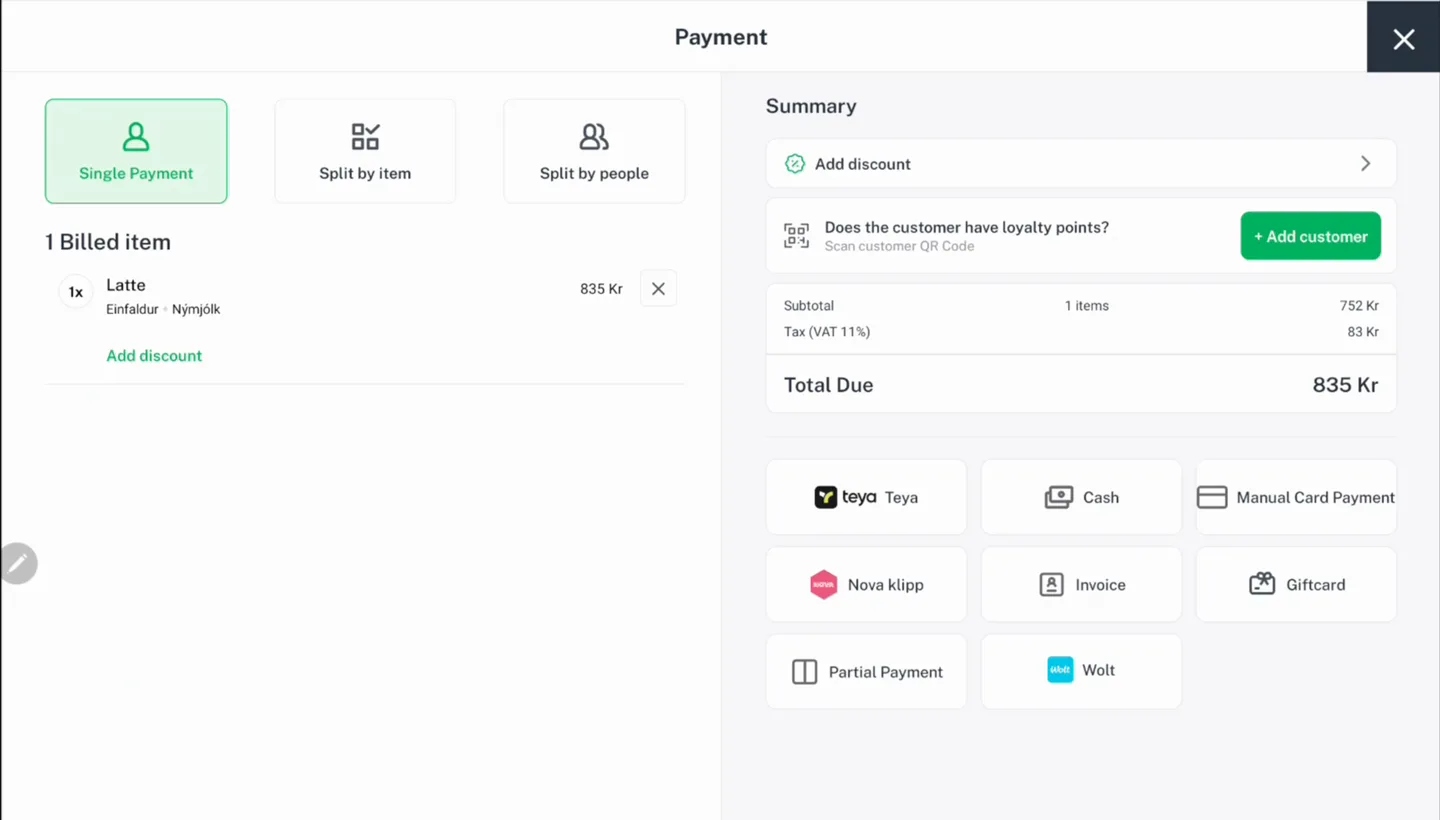
Choose Invoice
Add the items, tap Pay and choose Invoice on the payment screen.
- 2
Pick the company
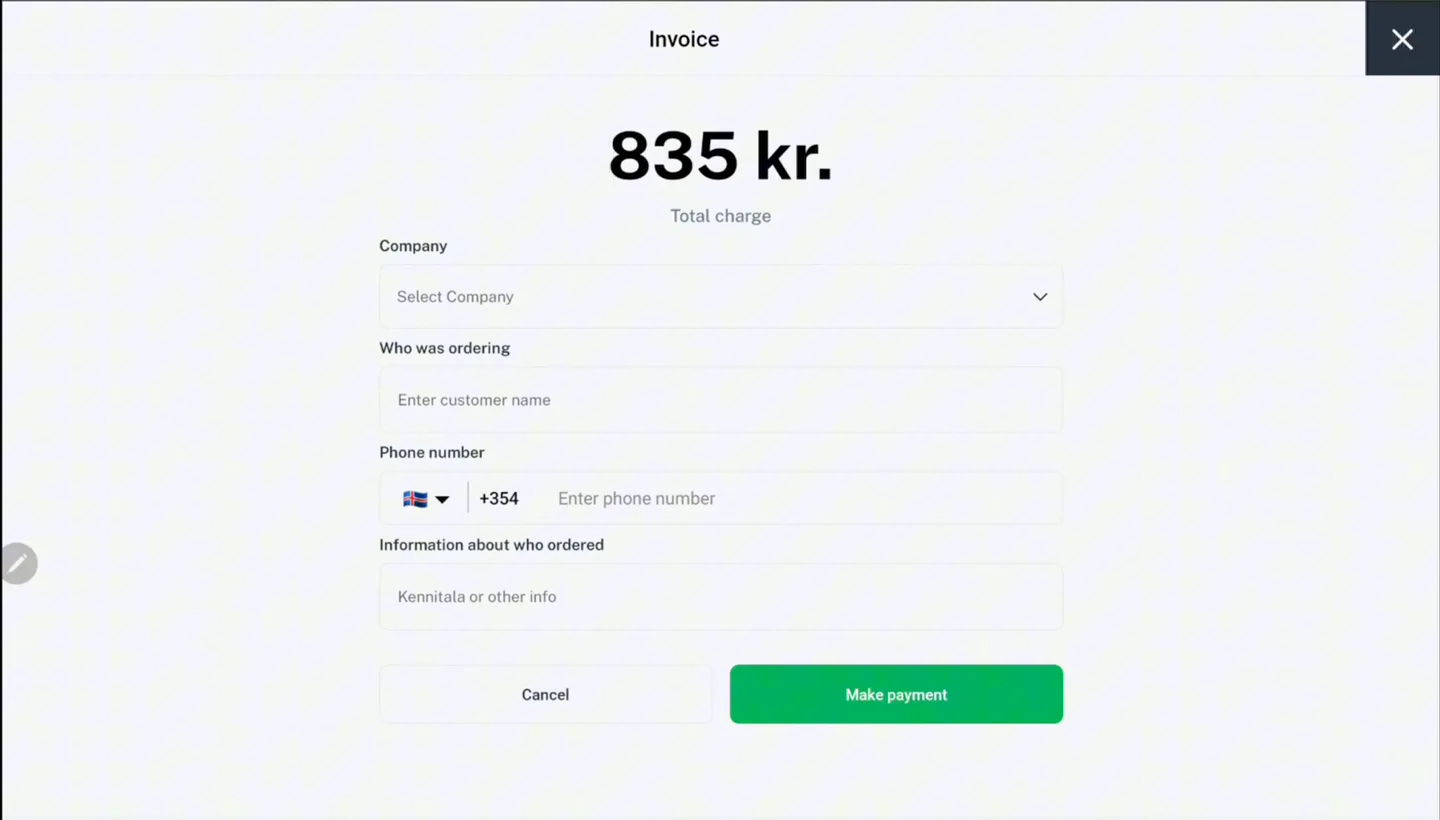
Tap Company and search by name or kennitala (company ID). The search starts after two characters and ignores accents, so "jon" finds "Jón".
If the customer has a QR code from the app you can scan it and their company fills in automatically.
If the company isn’t found, it has to be added in the dashboard first.
- 3
Record who ordered
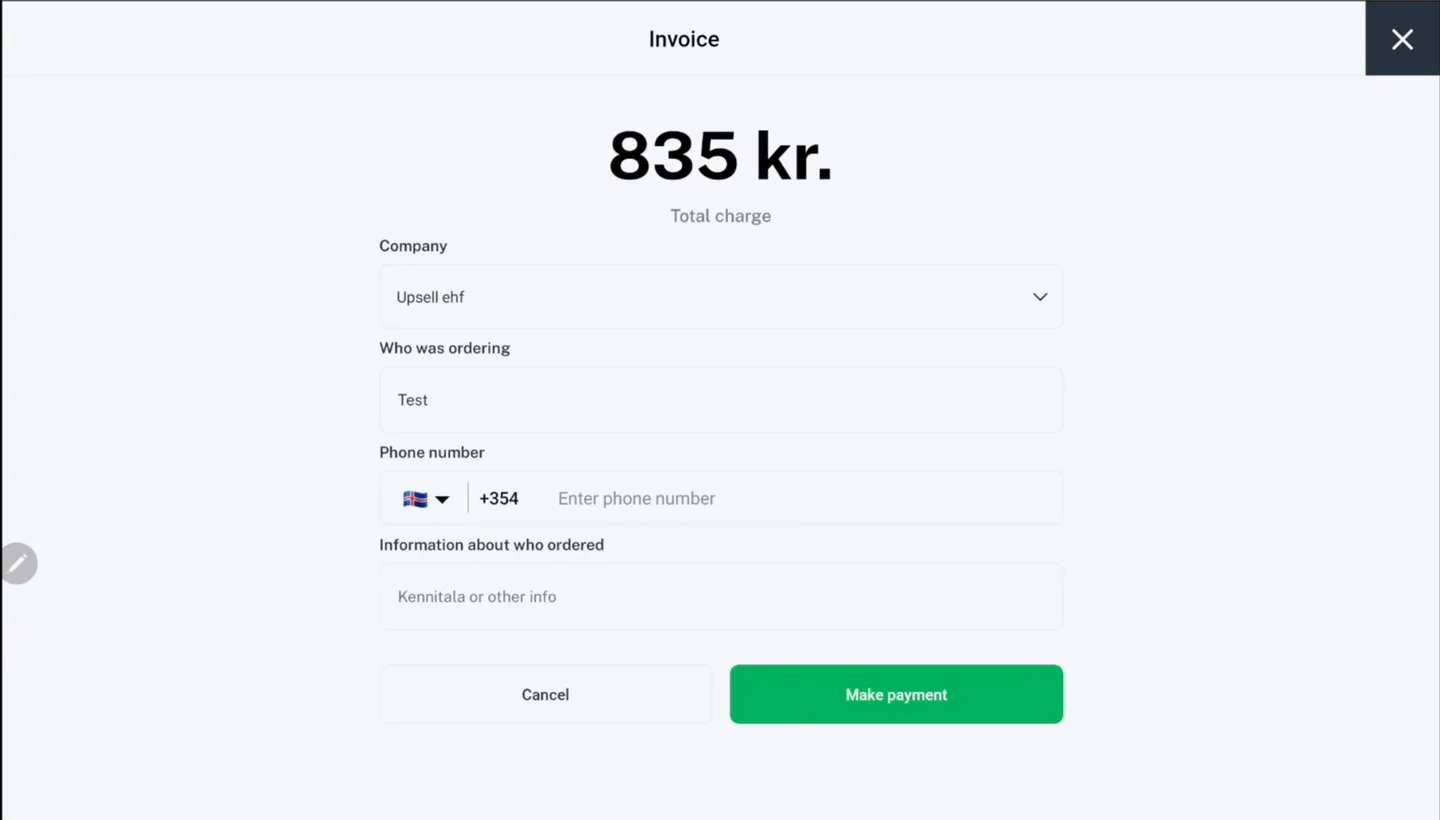
Fill in Who was ordering (the person placing the order) and Phone number. Information about who ordered can hold a kennitala or other details.
Fields with a red star are required; the others say "(optional)".
For companies with registered contacts you pick a contact from a list instead, and can add a Reason.
- 4
Confirm and print
Tap Make payment. It becomes active once a company is chosen and the required fields are filled.
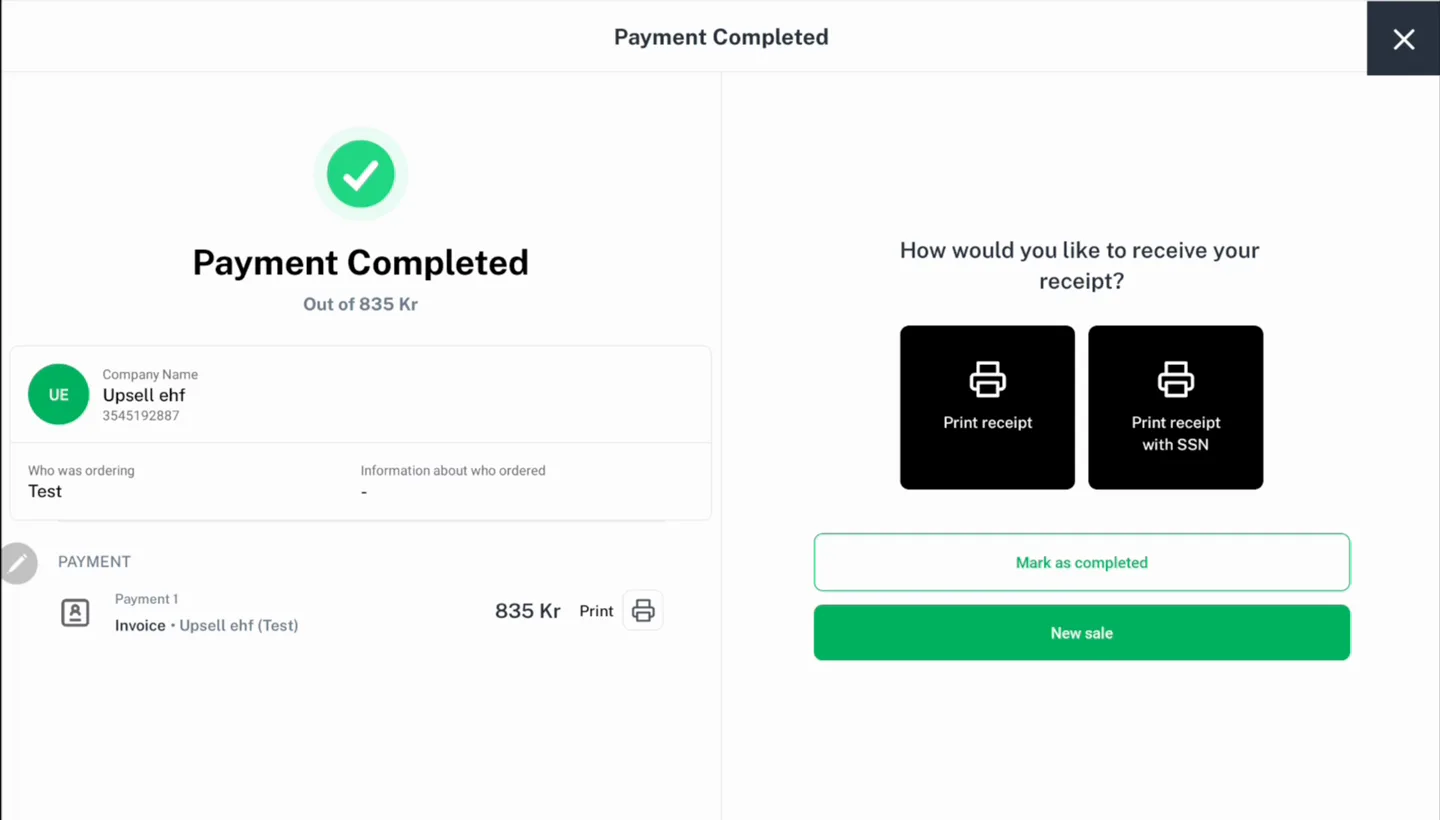
On Payment Completed, choose Print receipt, or Print receipt with SSN to print a kennitala on the receipt.
The order is now recorded against the company and shows in its order history in the dashboard.
Common questions
How do I add a new company account?
In the dashboard, under Customers → + New company account, create the company with its kennitala, email and phone (see "Creating a company account"). That’s also where you set whether invoices are sent automatically and when they fall due.
The POS says the company isn’t accepting invoices.
Companies can have invoicing rules: invoices turned off ("This company is not accepting invoice orders"), only at certain times ("…can only be invoiced between 09:00 and 17:00"), or a cap per purchase. With a cap, the amount up to the limit is invoiced and you take the rest with another method. Contact the company if the rules are wrong.
Can part be paid by card and the rest by invoice?
Yes, with Partial Payment or Split by item. After the first invoice payment the company is locked to the order (LOCKED), so the whole invoiced part goes to the same company.
Does the company get its discount automatically?
Yes. Discounts linked to the company in the dashboard are applied as soon as the company is picked, unless a manual discount is already on the order.
Didn’t find the answer?
We’re here. Give us a call or send a message.
Direct line
+354 519 2887
Call us when it’s urgent.
Live chat
Coming soon
Call or email us in the meantime.
hello@upsell.is
We reply the same day.