

All guides
Accepting a gift card as payment
Type or scan the code, check the balance and pay, including when the balance doesn’t cover everything.
4 steps · 3 min read · Updated 20 October 2026
Customers can pay with a gift card from your store, whether it was bought at the till, on the website or in the app. The POS reads the card’s balance, deducts the amount and shows what is left.
- 1
Choose Giftcard as the payment method
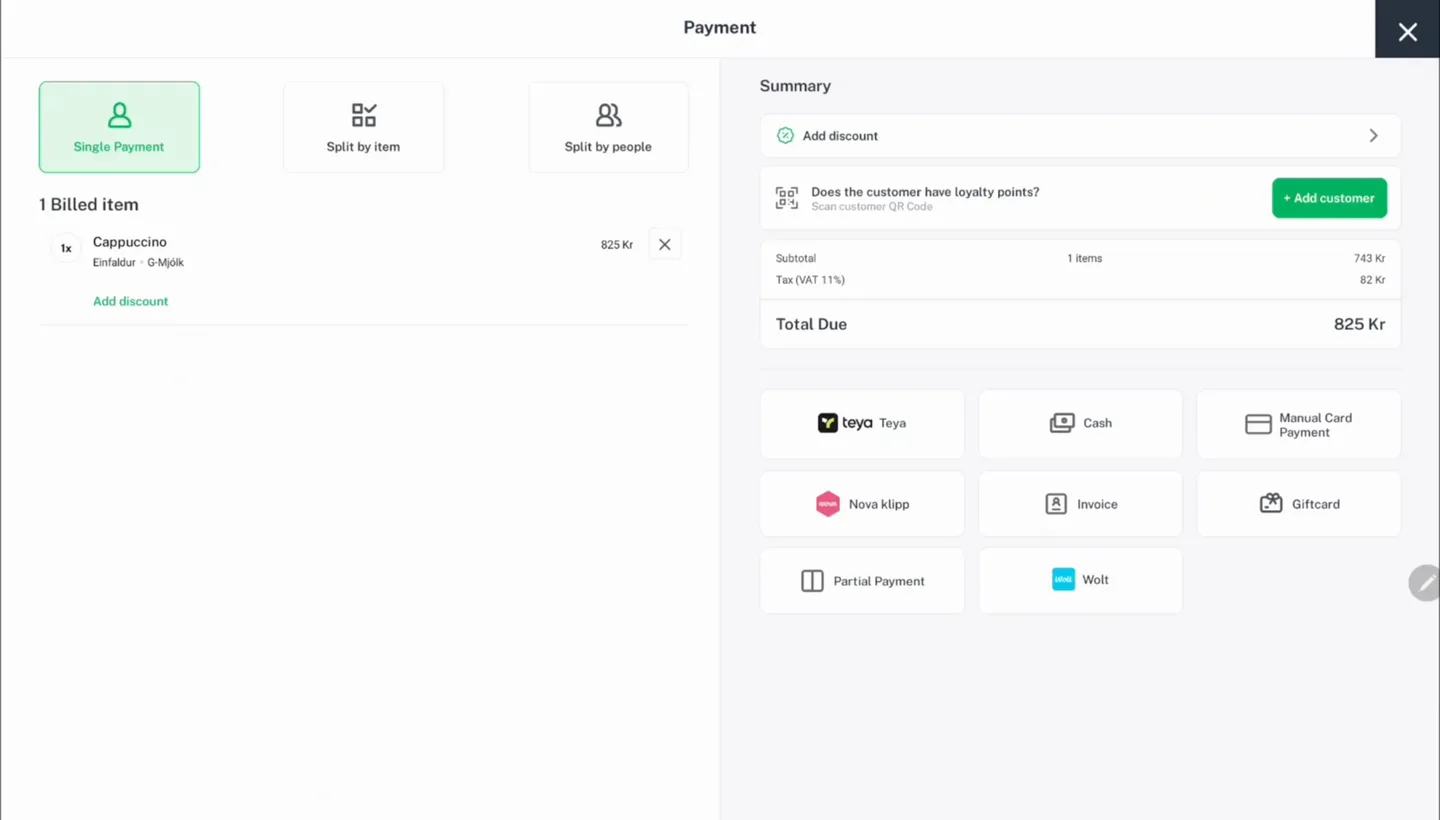
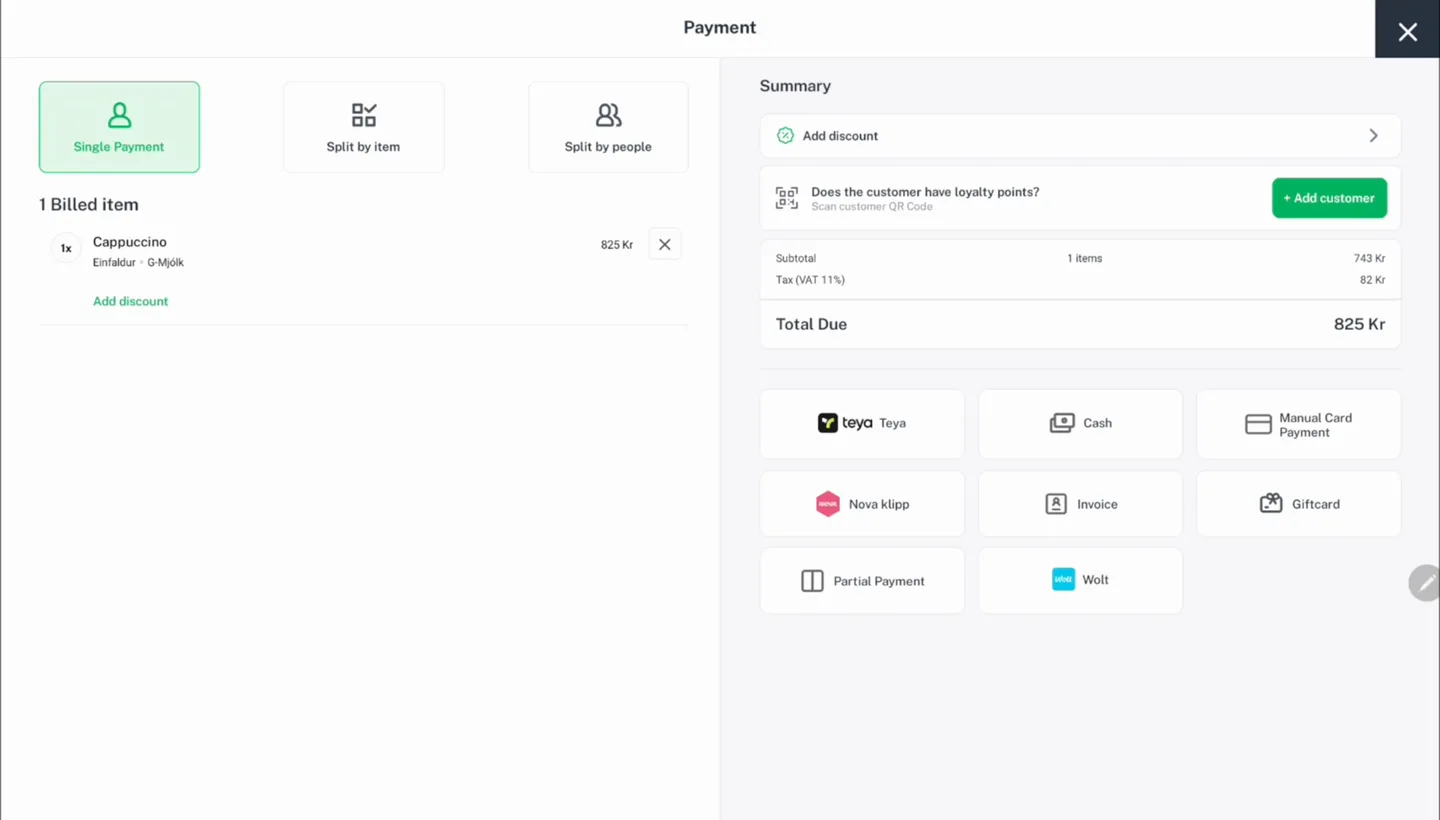
Add the items to the cart and tap Pay as usual.
On the payment screen, tap Giftcard.
- 2
Type or scan the code
Type the code from the gift card into the Gift card number field. Letters are capitalised automatically.
If the card has a QR code or barcode you can scan it with the till’s scanner. The code fills in by itself. On some devices you can also scan with the camera: tap the scan icon next to the field.
Tap Continue.
A wrong code shows "The code you entered is not listed". An expired card shows "This giftcard has expired and cannot be used."
- 3
Check the balance and pay
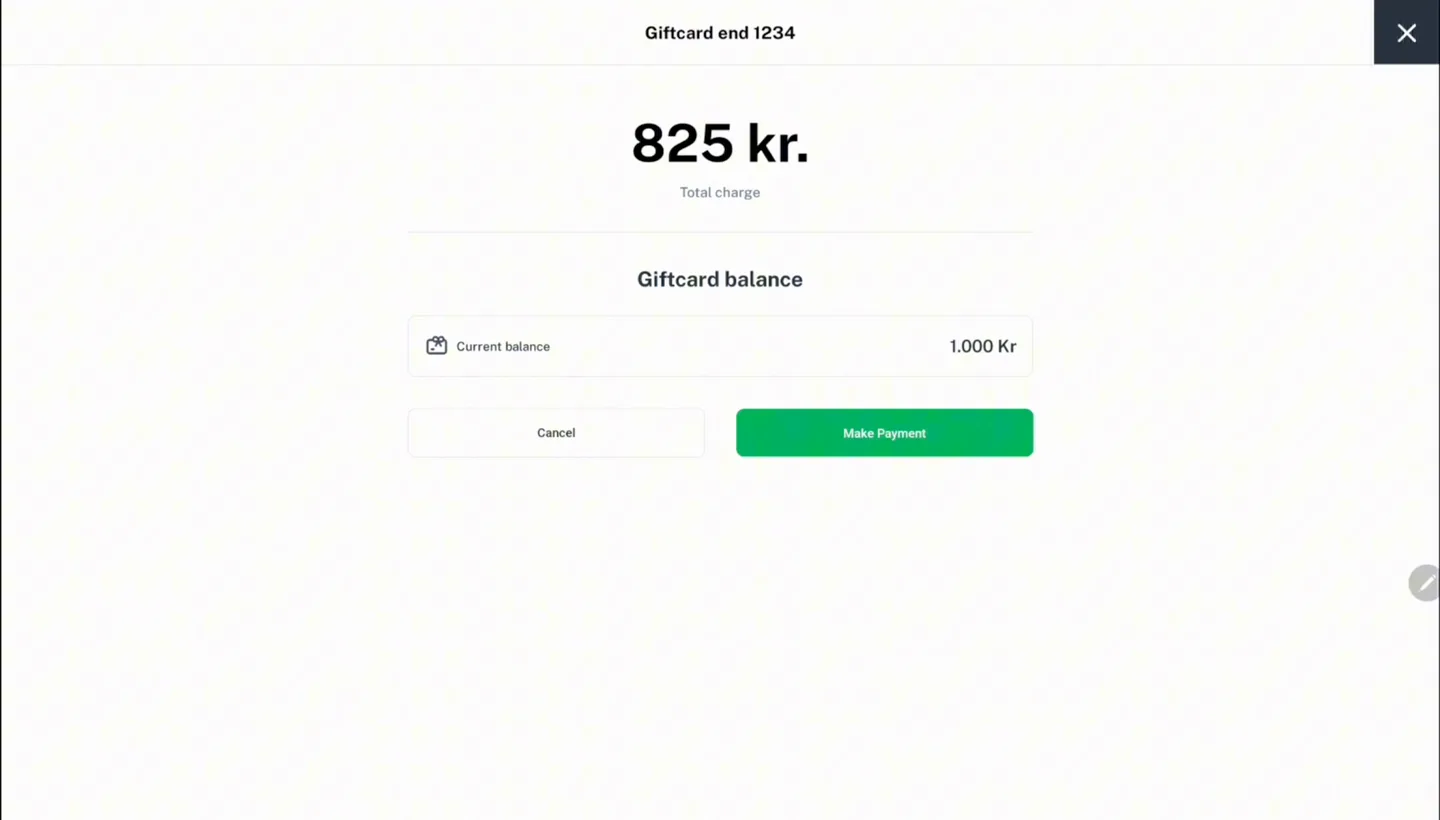
Under Giftcard balance you see Current balance, the amount on the card right now.
Tap Make Payment to pay.
If the balance is lower than the total, the screen shows how much will still be due. The whole balance is used and you pay the rest with another method in the next step.
- 4
Finish the payment
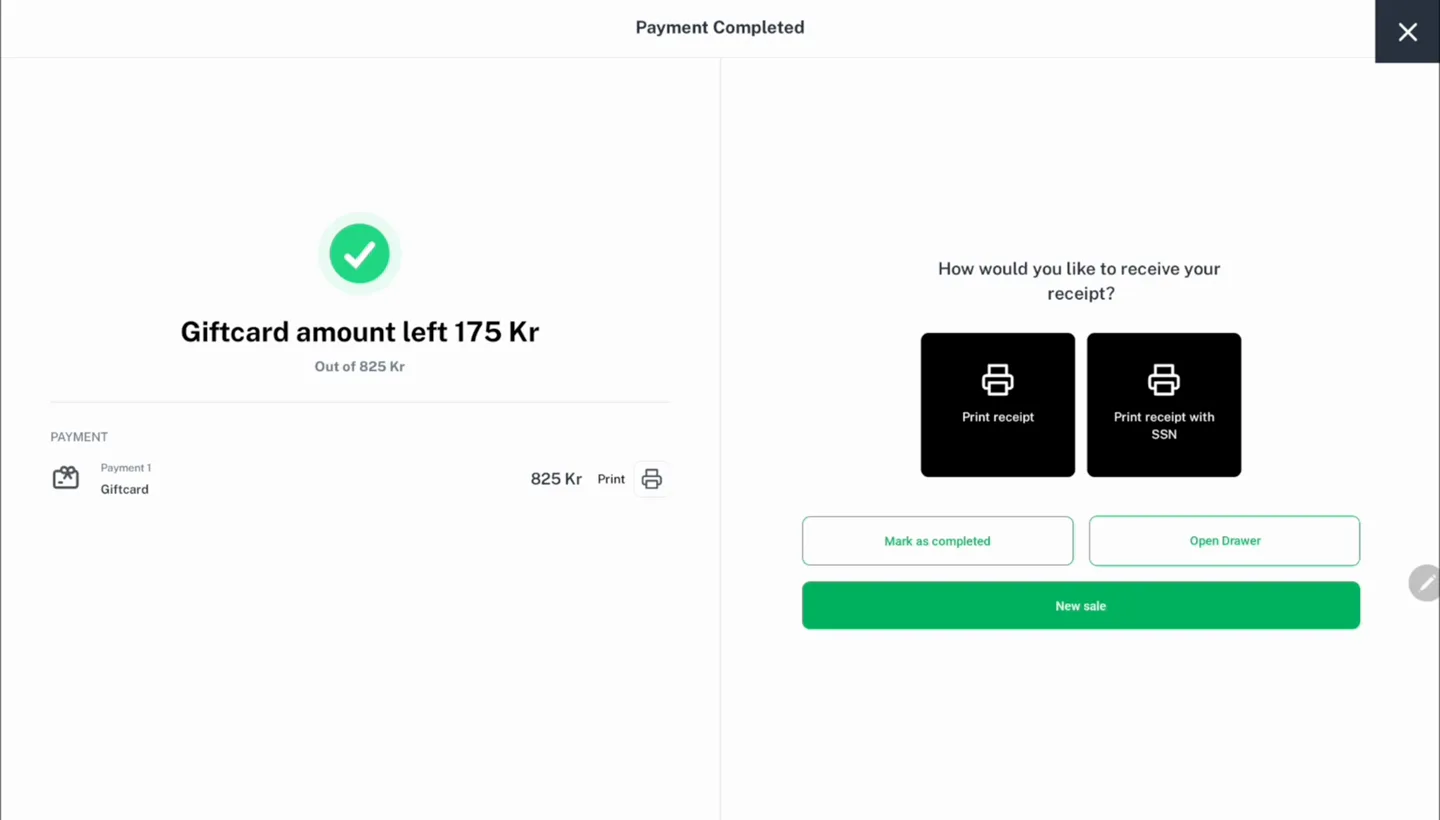
If the balance covers it, you see Payment Completed and how much is left on the card, e.g. "Giftcard amount left 175 Kr". Let the customer know what remains.
Print a receipt if the customer wants one. On the receipt the remaining amount is labelled "Change". That is what’s still on the card, not cash to hand back.
If the balance doesn’t cover it, you see Payment due with the outstanding amount. Tap Next payment and choose another method, such as card or cash, for the rest.
Common questions
The balance is 0 kr. What do I do?
The card is used up. The POS asks for another card ("Please use another giftcard"). Choose a different payment method.
Can two gift cards be used on one order?
Yes. Pay with the first card; if it doesn’t cover everything, tap Next payment, choose Giftcard again and enter the second card.
The POS says the gift card belongs to another customer.
Some gift cards are tied to a specific customer. Remove the customer from the cart or pick the right one and try again.
Where can I see how much is left on a card?
The balance shows as soon as the code is entered, before anything is charged. Tap Cancel if the customer only wanted to check it.
Didn’t find the answer?
We’re here. Give us a call or send a message.
Direct line
+354 519 2887
Call us when it’s urgent.
Live chat
Coming soon
Call or email us in the meantime.
hello@upsell.is
We reply the same day.