

All guides
Turning off an item that has run out
Take an item off sale for 30 minutes, an hour, the rest of the day or until you turn it back on.
6 steps · 2 min read · Updated 22 October 2026
When something runs out, you can turn it off on the POS so nobody can order it. You choose how long it stays off, and turn it back on when it is back in stock.
The example uses "Besti borgarinn" at Besta Bistro Smáralind.
- 1
Open Inventory
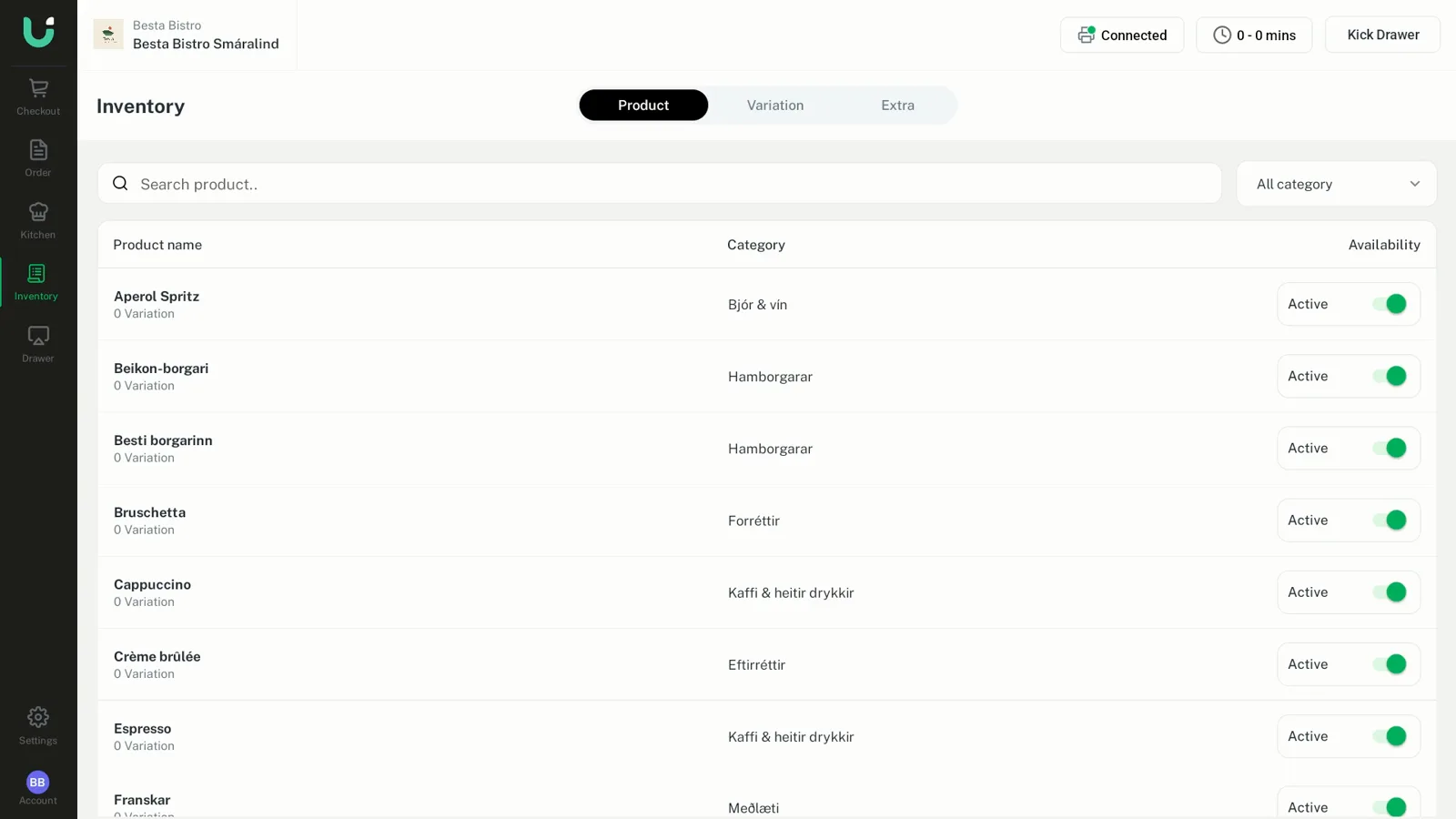
Tap Inventory in the side menu. You see your whole menu, and the Availability column shows whether each item is available right now.
- 2
Find the item
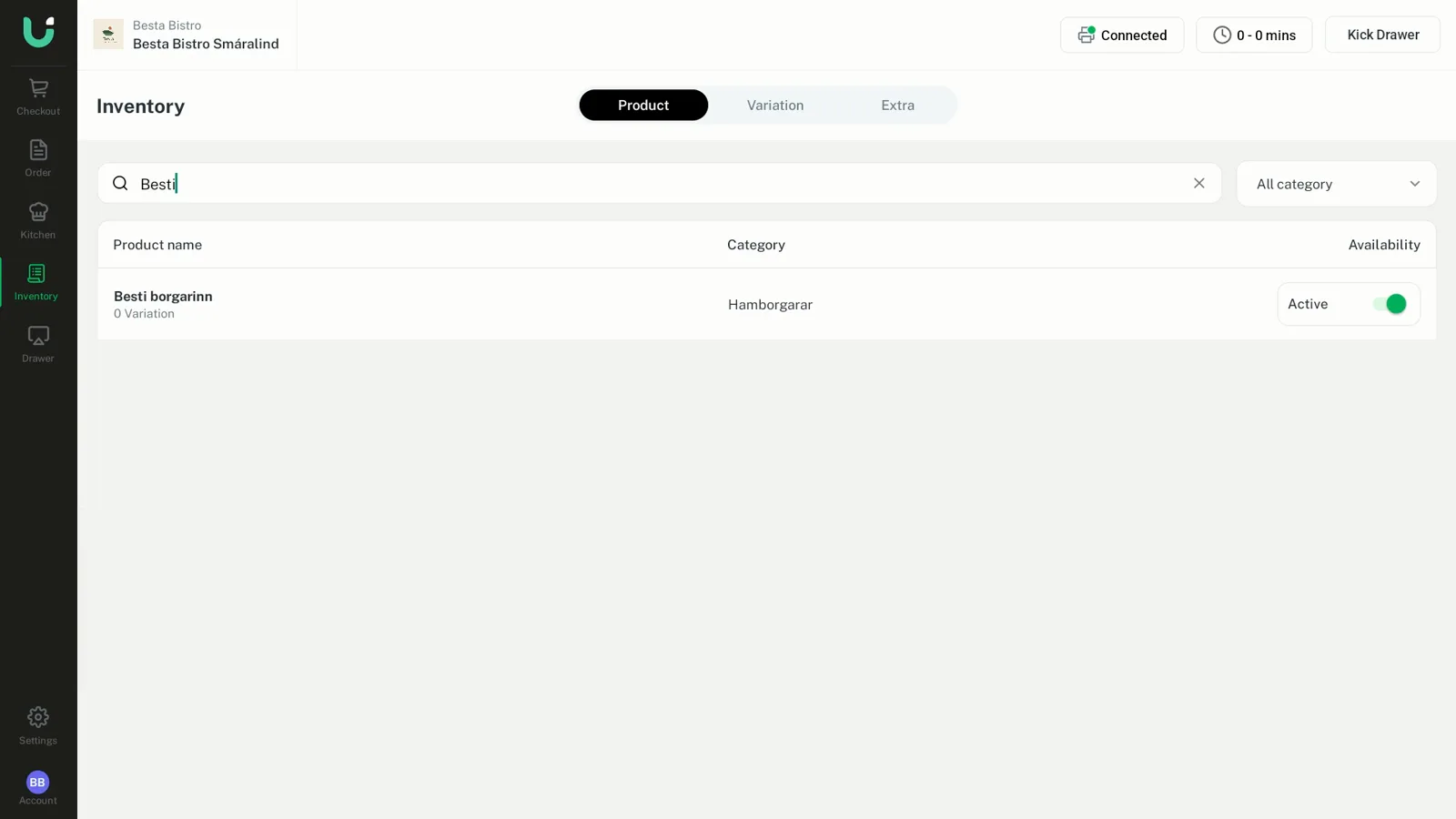
Search by name in the search box, or filter by category with All category.
- 3
Choose how long it stays off
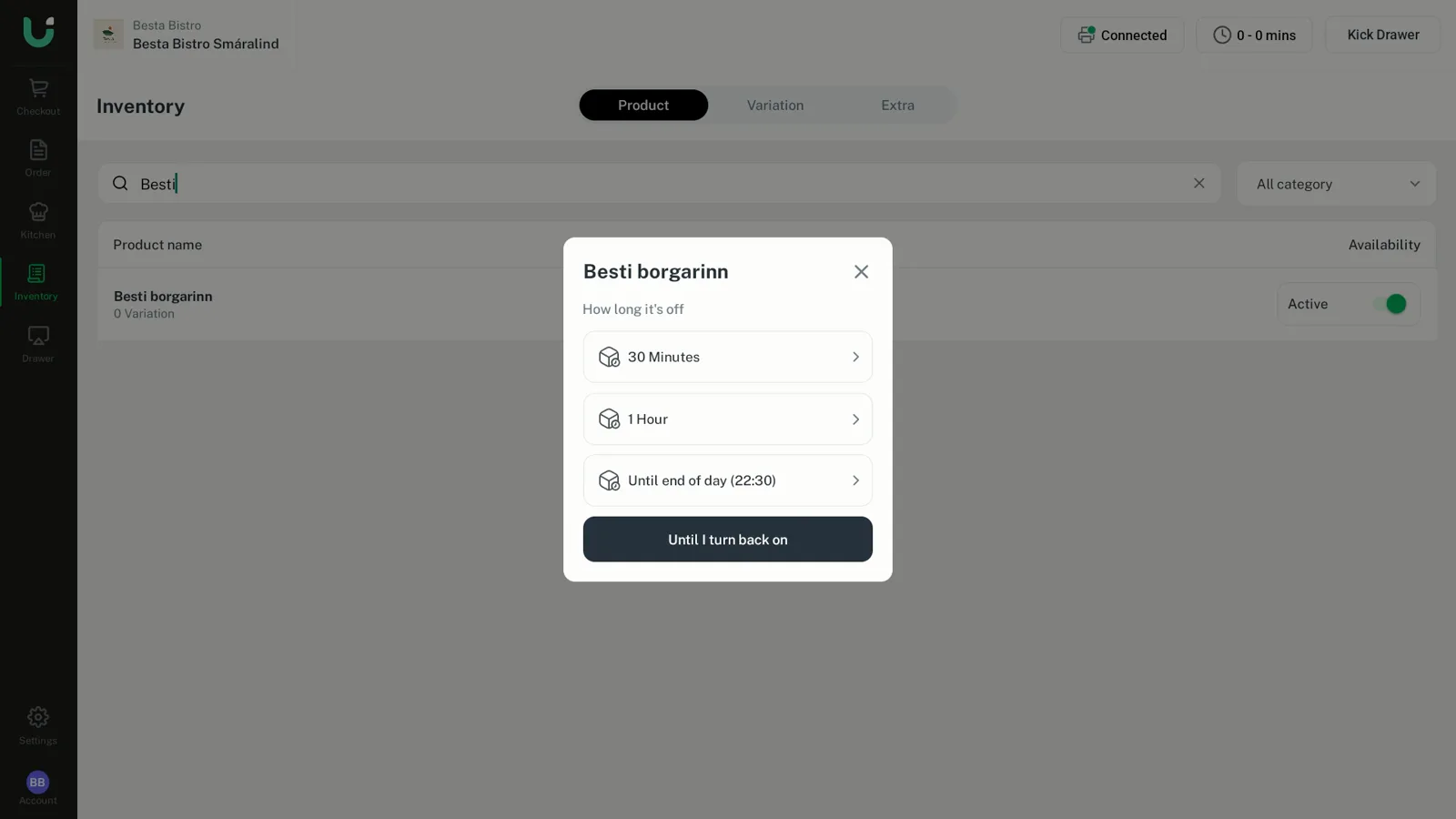
Tap the item's switch. A popup opens with four options:
30 Minutes and 1 Hour turn the item back on by themselves when the time is up. Until end of day turns it back on after closing, at the time shown in brackets. Until I turn back on keeps it off until you switch it on yourself.
- 4
The item is now off
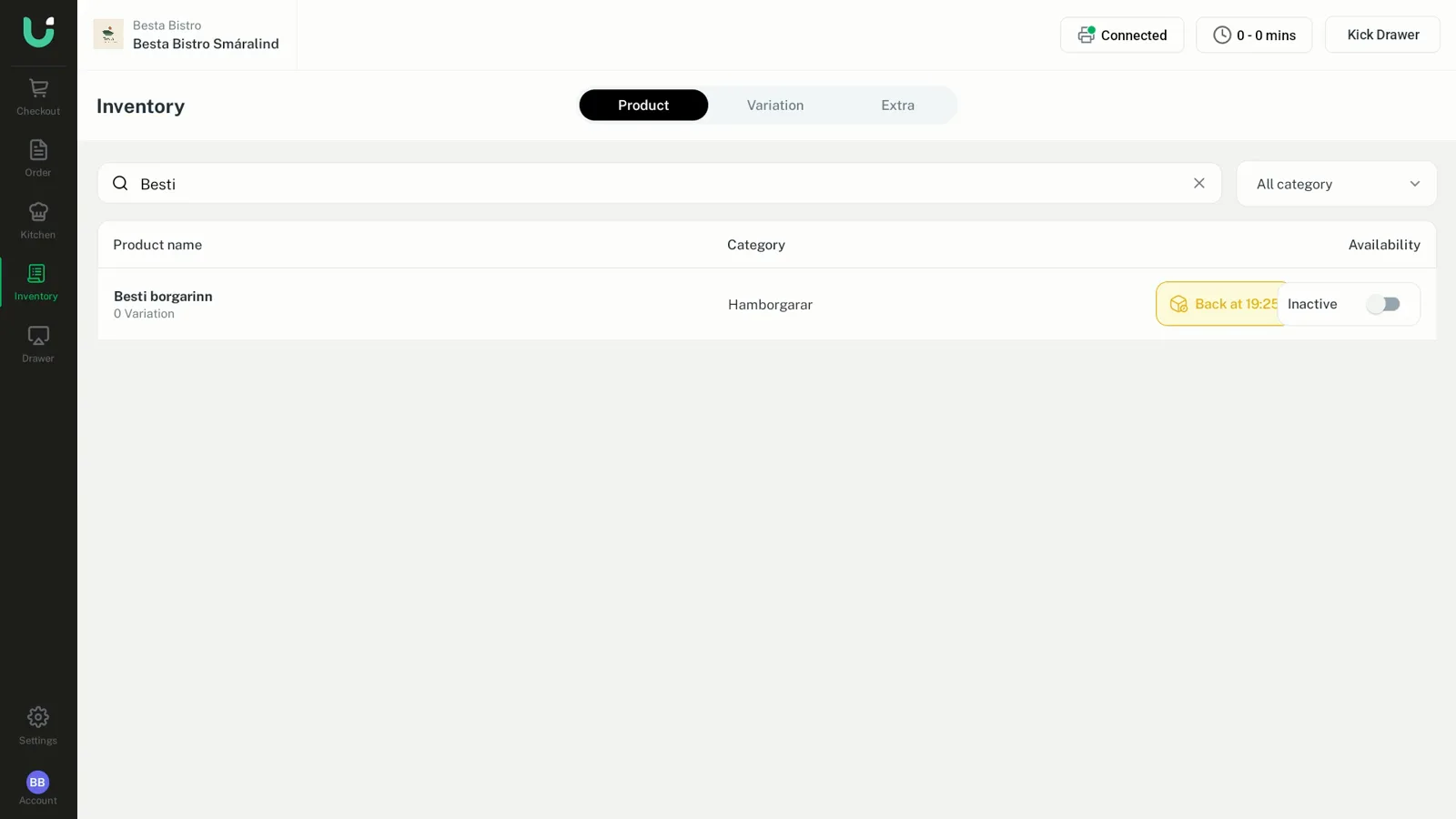
The item now reads Inactive. If you chose a time, a yellow label shows when it comes back, for example "Back at 19:25".
- 5
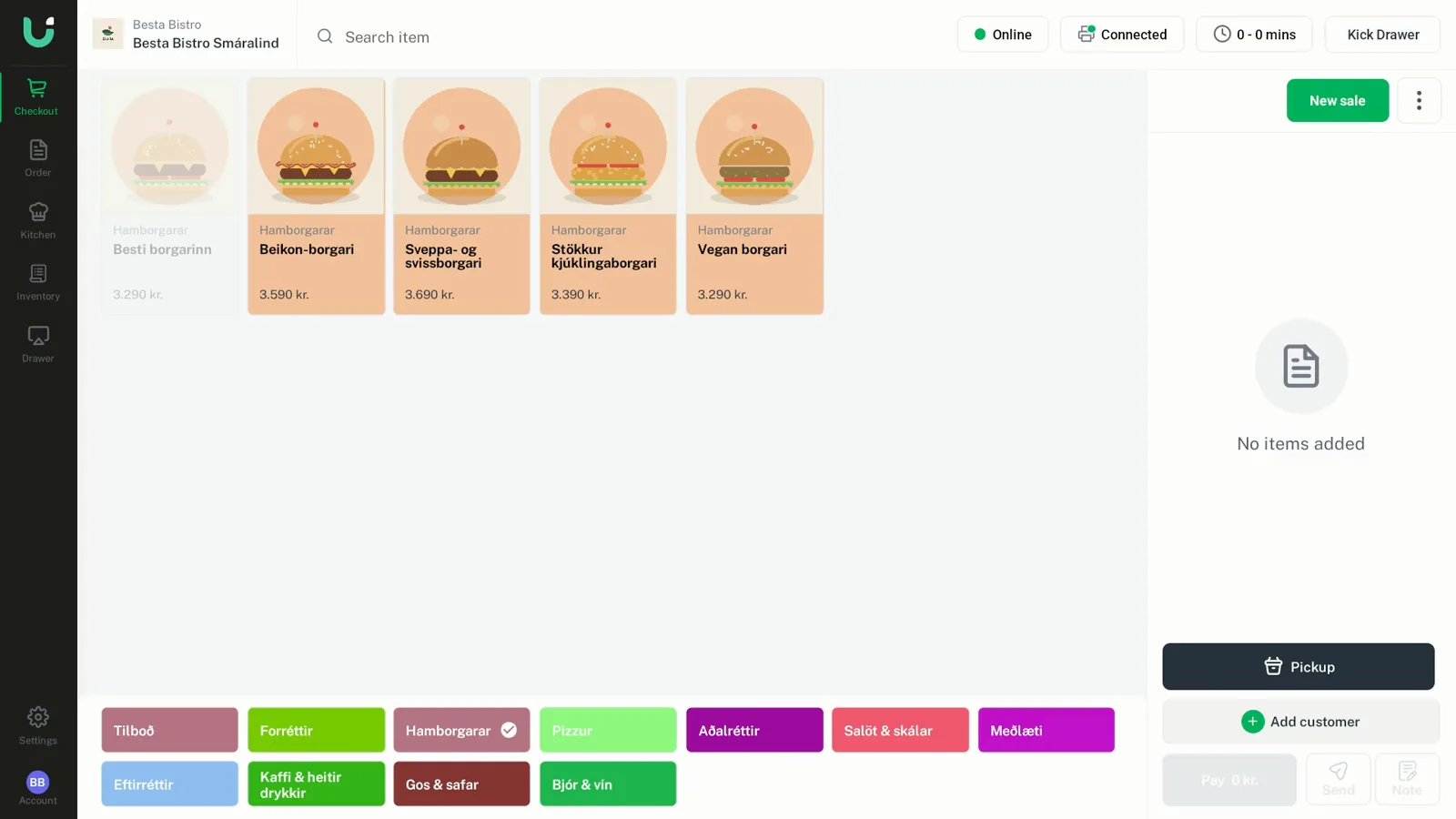
On the checkout screen it is greyed out
On Checkout the item is greyed out and can't be added to an order.
- 6
Turn it back on
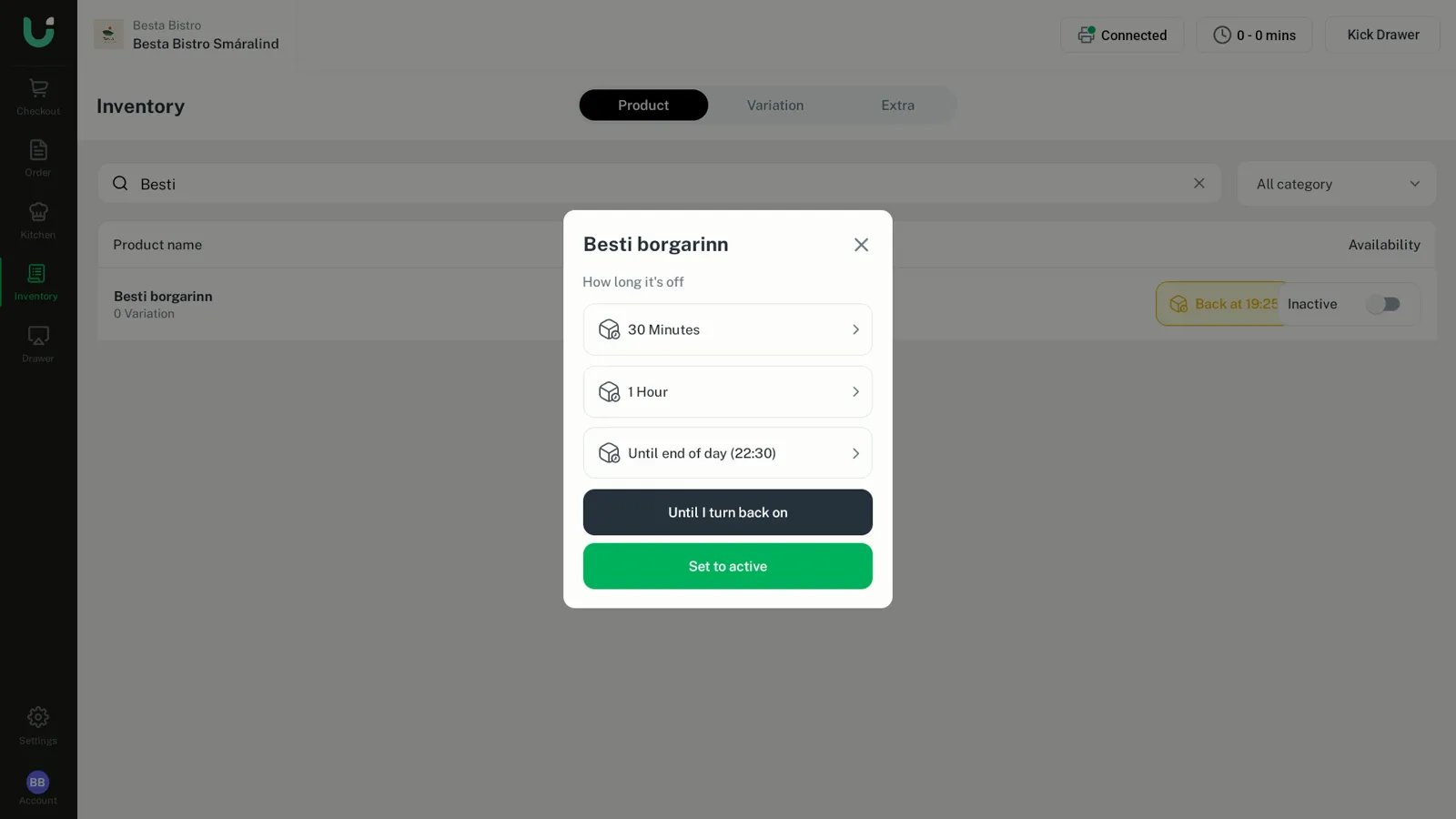
When it is back in stock, go to Inventory, tap the item's switch again and choose Set to active. The item is available straight away.
Common questions
Is the item turned off at every branch?
No, only at the branch the POS is signed in to. Other branches keep selling it.
Is it hidden from online orders too?
Yes. While the item is off, it can't be ordered online or on the kiosk either.
Can I turn off a size or a sauce?
Yes. The Variation tab at the top lists variations such as sizes, and Extra lists extras such as sauces. You turn them off and on the same way.
I don't see Inventory in the menu.
Then it hasn't been switched on for your store yet. Get in touch and we'll switch it on.
Didn’t find the answer?
We’re here. Give us a call or send a message.
Direct line
+354 519 2887
Call us when it’s urgent.
Live chat
Coming soon
Call or email us in the meantime.
hello@upsell.is
We reply the same day.